Prevent a workspace from sending emails
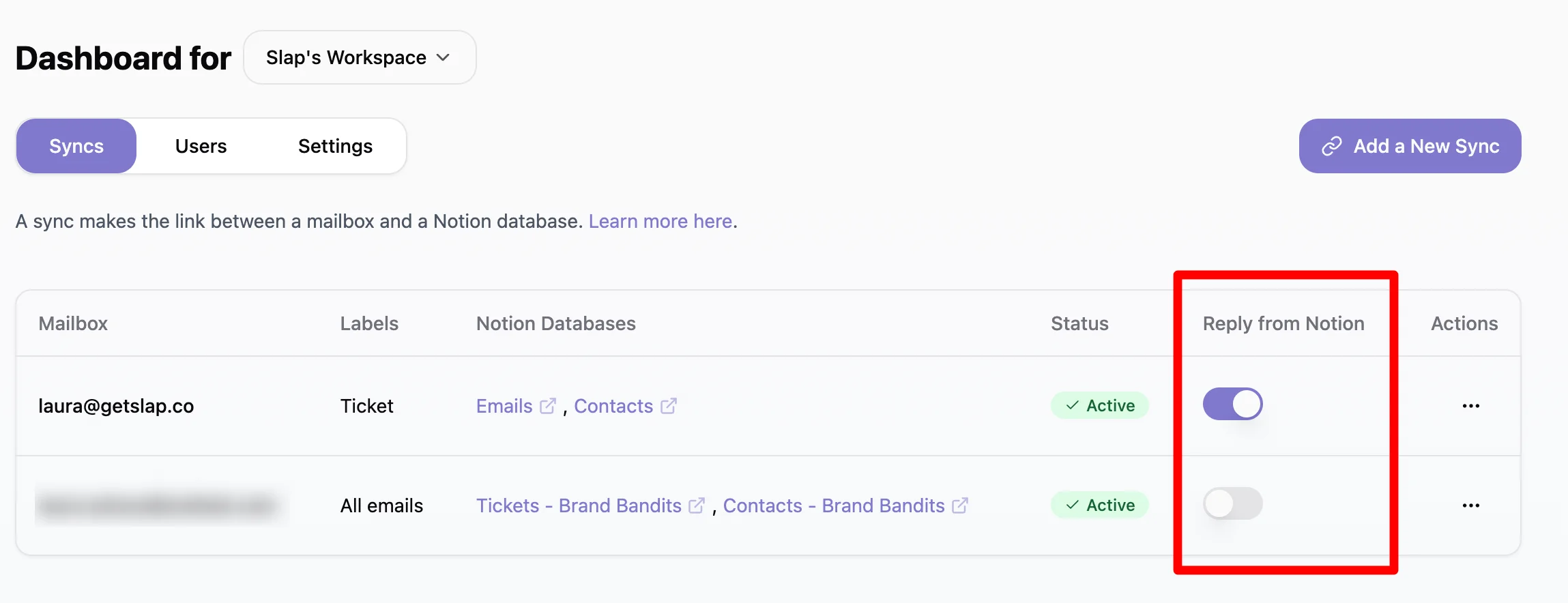
By default, Slap sends an email whenever a new comment is added to a page in a synced database. This is the “reply from Notion” behavior, and you can control it at two levels: a workspace-wide master switch, and a toggle for each individual sync. An email is only sent when both are enabled.
Enable or disable replies for the whole workspace
This is the master switch for your entire Slap workspace.
-
Go to your Settings in Slap.
-
Check or uncheck the box next to “Enable replies from Notion”.
-
Click “Save settings”.
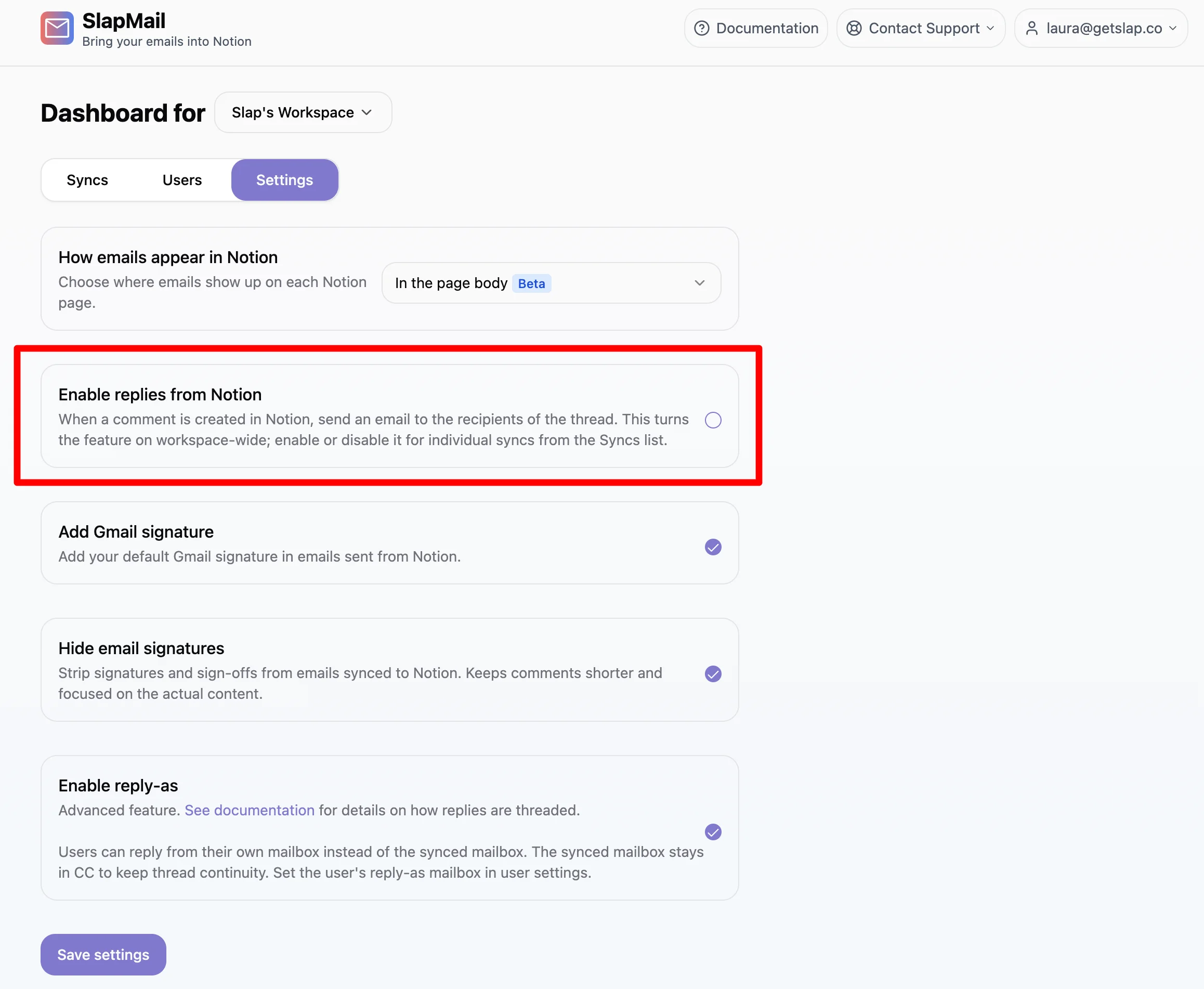
When this setting is off, no emails are sent from Notion for any sync. When it is on, a “Reply from Notion” column appears in your Syncs list so you can control each sync individually.
Enable or disable replies for a specific sync
Once replies are enabled workspace-wide, you can decide sync by sync:
- Open your Syncs list.
- For each sync, turn its toggle on to allow replies from Notion for that sync, or off to keep its comments inside Notion.
This is useful when some databases or teammates should reply from Notion while others should not. The per-sync toggle defaults to on for both new and existing syncs, so nothing changes unless you turn it off.