Notion Mail alternative: keep your emails in Notion
If what you liked was handling your emails the Notion way - custom properties and views, clean interface - SlapMail is the replacement.
What’s more Notion-like than Notion itself? SlapMail brings your Gmail (or Outlook) mailbox into your Notion databases in real time, so you can read, reply and send emails without leaving Notion.
7-day free trial. No credit card. About 5 minutes to set up.
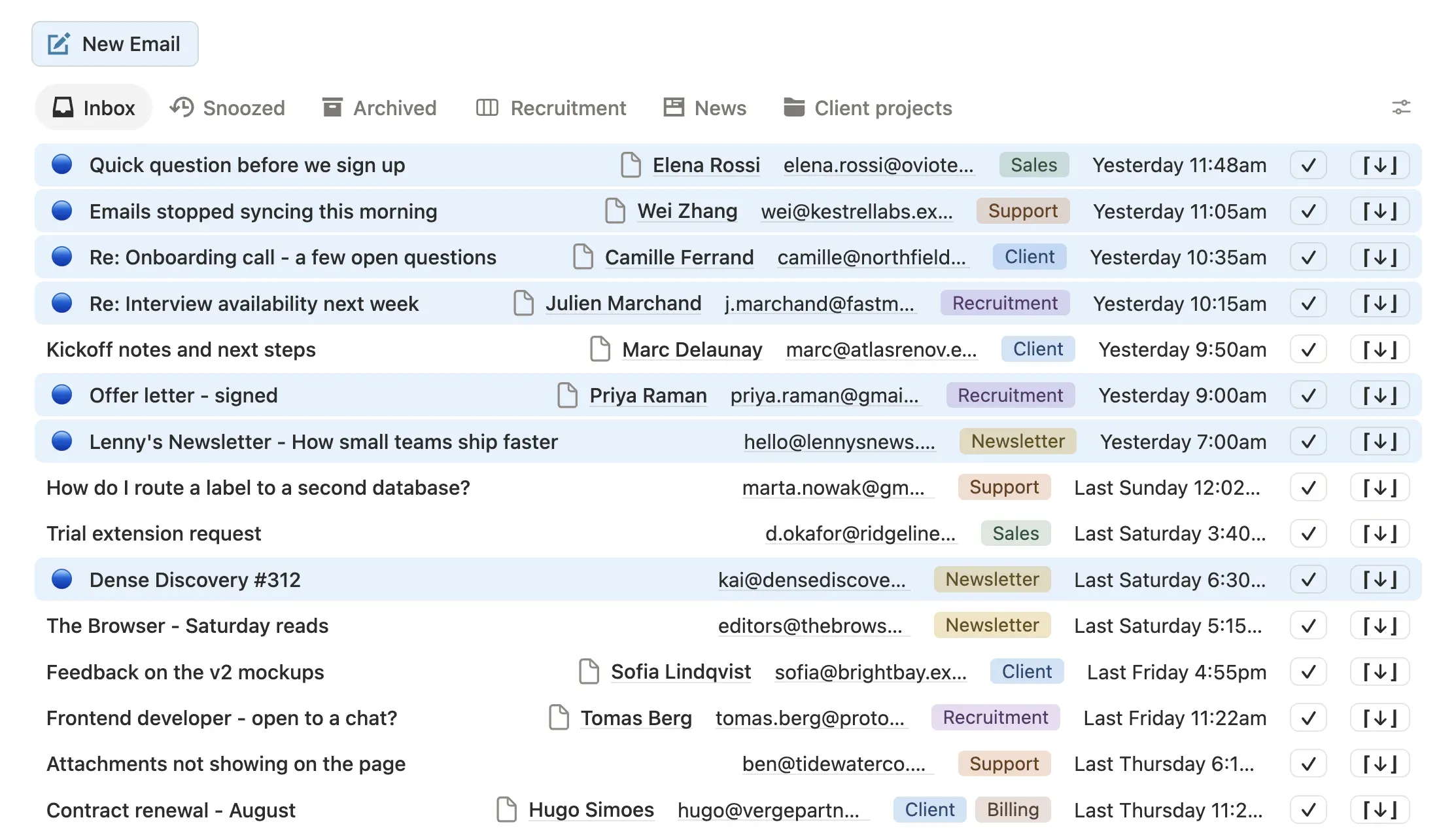
Each type of email in its own view
What most people liked in Notion Mail was organising their emails in views with custom properties. That comes back with SlapMail: email threads become real Notion pages inside a database, so any view and any property is possible.
Recruitment grouped by hiring stage, client threads with their status, newsletters as a reading list. You build whatever works for you.
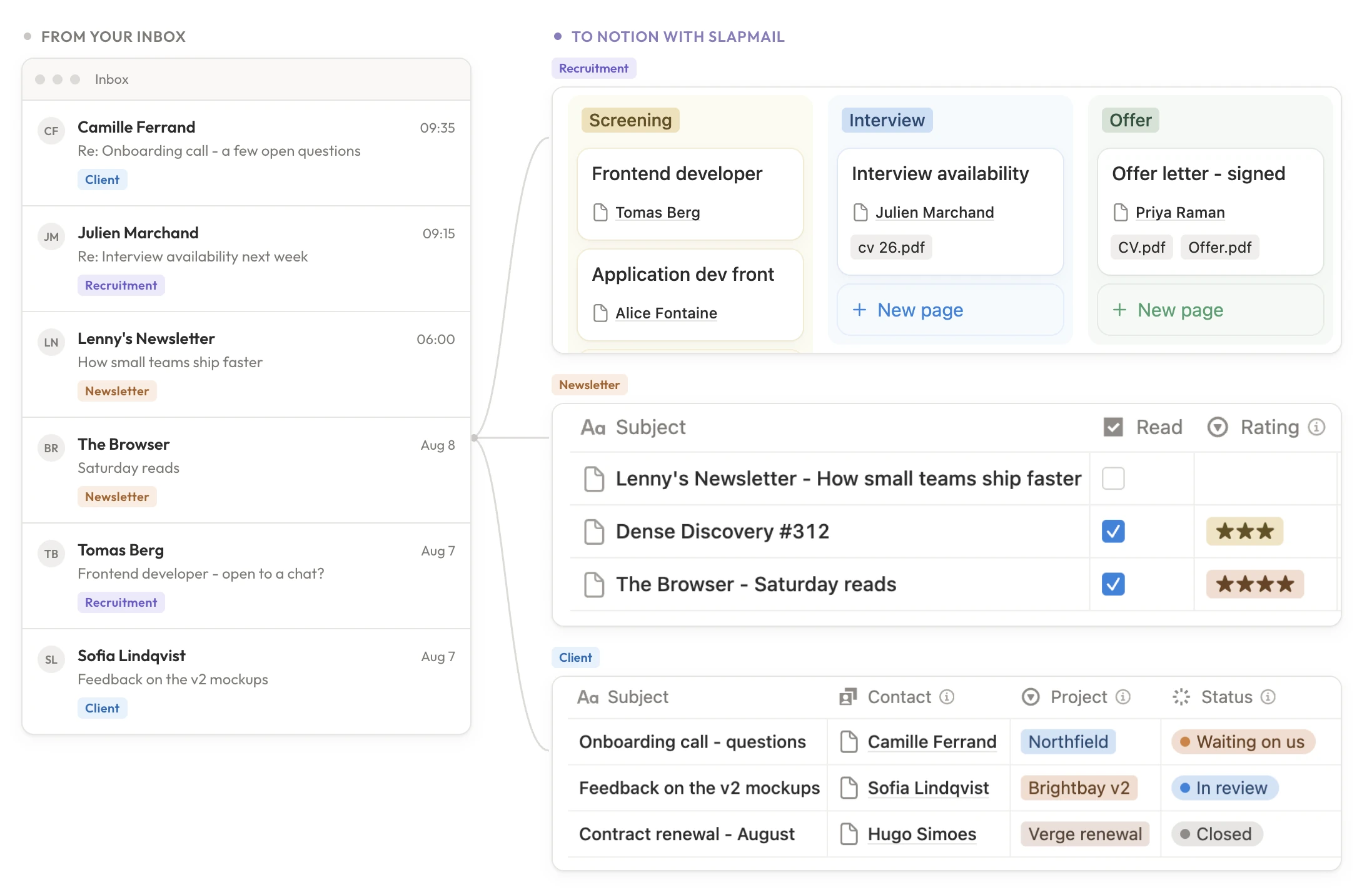
You keep Gmail. You work in Notion.
Worth saying plainly, because it’s the first question we get. SlapMail doesn’t replace Gmail (or Outlook). The inbox stays exactly where it is. What SlapMail does is mirror the emails you choose into Notion, and let you reply from there when it makes sense.
What's shutting down
Notion isn't closing your Gmail account. It's closing the layer it built on top of Gmail.
Going away on September 22
- The Notion Mail inbox
- Custom views and drafts
- Scheduled emails and snippets
- Auto-label rules inside Notion Mail
- Email-to-database sync
Notion is pointing people to AI agents for email workflows instead. Agents are good at ambiguous work. Routing an email to the right database isn't ambiguous work, and paying per run for it makes a simple, repeatable job cost a different amount every month.
Read Notion's announcement · What the shutdown means for your workflow
Your emails, inside Notion
Syncing emails to Notion was the other reason people used Notion Mail. SlapMail does it with fewer limits.
Gmail and Outlook
Notion Mail was Gmail only. Outlook users finally have a supported path into Notion.
Any database you pick
One page per thread, in the database that makes sense for that email. Follow-up replies land in the same page.
Properties fill themselves
Sender, subject, received date, last reply date, mapped automatically.
Attachments stay in Notion
No going back into Gmail for a file from six months ago.
Contacts get linked
The sender's address is matched against the contacts database and the thread is attached to the right record.
Label routing
A Gmail label or an Outlook folder decides which database an email lands in. Support to the support queue, sales to the pipeline.
Reply from Notion
The reply is sent from the real Gmail or Outlook address, and the thread stays intact.
Shared inbox
Teammates triage, assign and reply from the same Notion view. No shared password.
Notion Mail vs. SlapMail
| Feature | Notion Mail | SlapMail |
|---|---|---|
| Email views in Notion | Notion Mail Fixed inbox-style views inside Notion Mail | SlapMail Any Notion view: table, board, calendar, grouped, filtered |
| Real-time sync | Notion Mail Yes, with Gmail | SlapMail Yes, with Gmail and Outlook, no need to forward emails |
| Email providers | Notion Mail Gmail only | SlapMail Gmail and Outlook |
| Where emails live | Notion Mail Inside Notion Mail | SlapMail One page per thread, in any Notion database you pick |
| Reply and send from Notion | Notion Mail No, only from the Notion Mail inbox | SlapMail Yes, sent from your real address |
| Attachments stored in Notion | Notion Mail No | SlapMail Yes |
| Automatic property mapping | Notion Mail No | SlapMail Yes: sender, dates, subject and more |
| Contact association | Notion Mail No | SlapMail Yes, links threads to a contacts database |
| Shared inbox and teammate replies | Notion Mail No | SlapMail Yes |
| Setup time | Notion Mail About 5 minutes | SlapMail About 5 minutes |
| Price | Notion Mail Included with Notion, going away | SlapMail From $8 per user / month, unlimited emails synced |
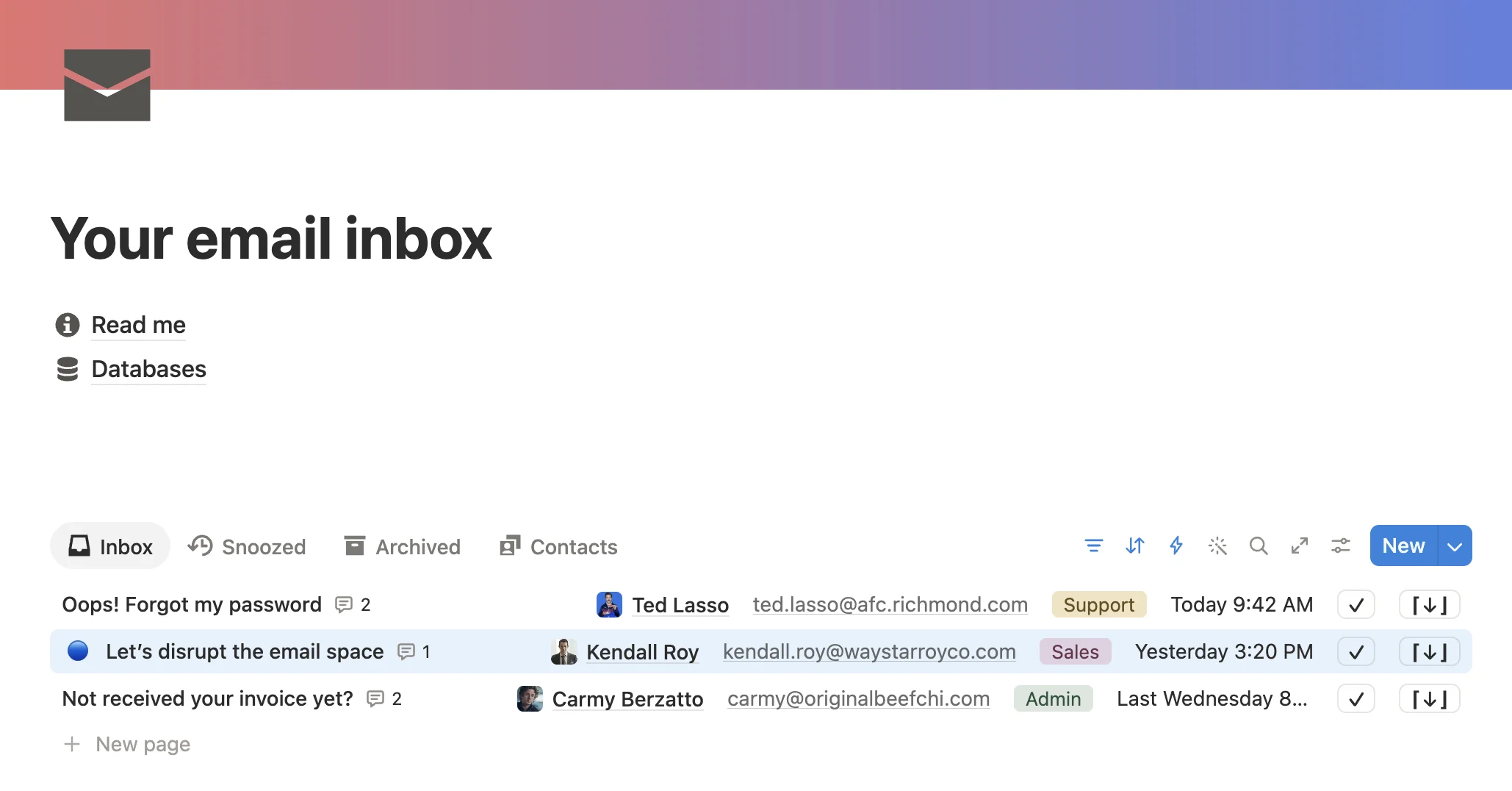
A Notion template built to work like an inbox
When SlapMail fits - and when an AI agent makes more sense
Reach for SlapMail when the job is deterministic
Every email that matches a rule should land in Notion, with the right properties, every time. Sales inquiries to the pipeline, support tickets to the queue, client updates to the project. That's a routing job - and routing should never miss one.
Reach for an AI agent when the job is ambiguous
Draft a reply from prior context, summarize a long thread, decide which emails to escalate. Agents are powerful for open-ended reasoning, but they add cost and variability to work that should be mechanical.
Most teams need both: SlapMail handles reliable ingestion and routing, and an AI agent interprets the data once it's already in Notion.
Switch before September 22, in less than 5 minutes
SlapMail can run in parallel with Notion Mail until the shutdown, so nothing breaks while you set it up.
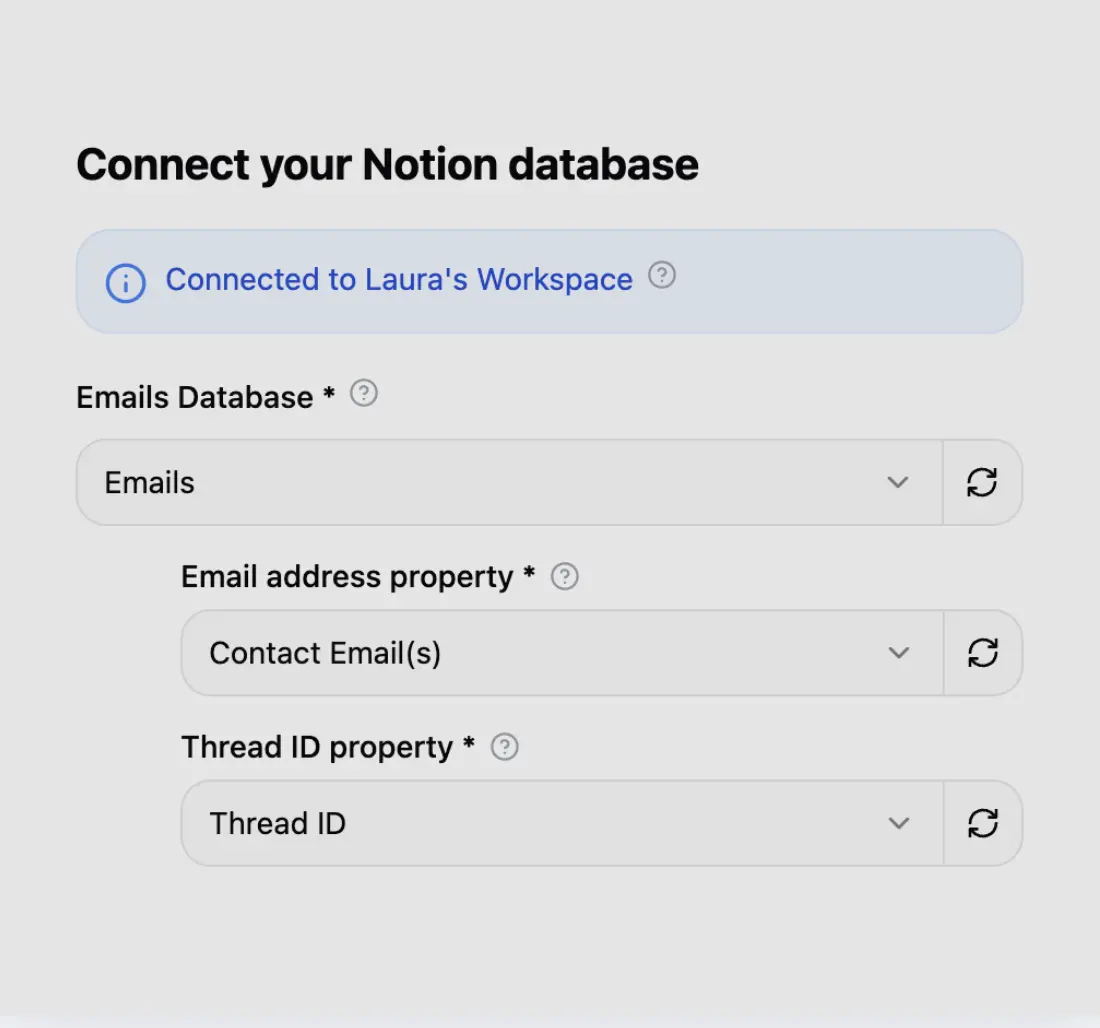
Step 1
Connect your Notion database
Connect your Notion workspace in seconds and choose in which database you want to send your emails.
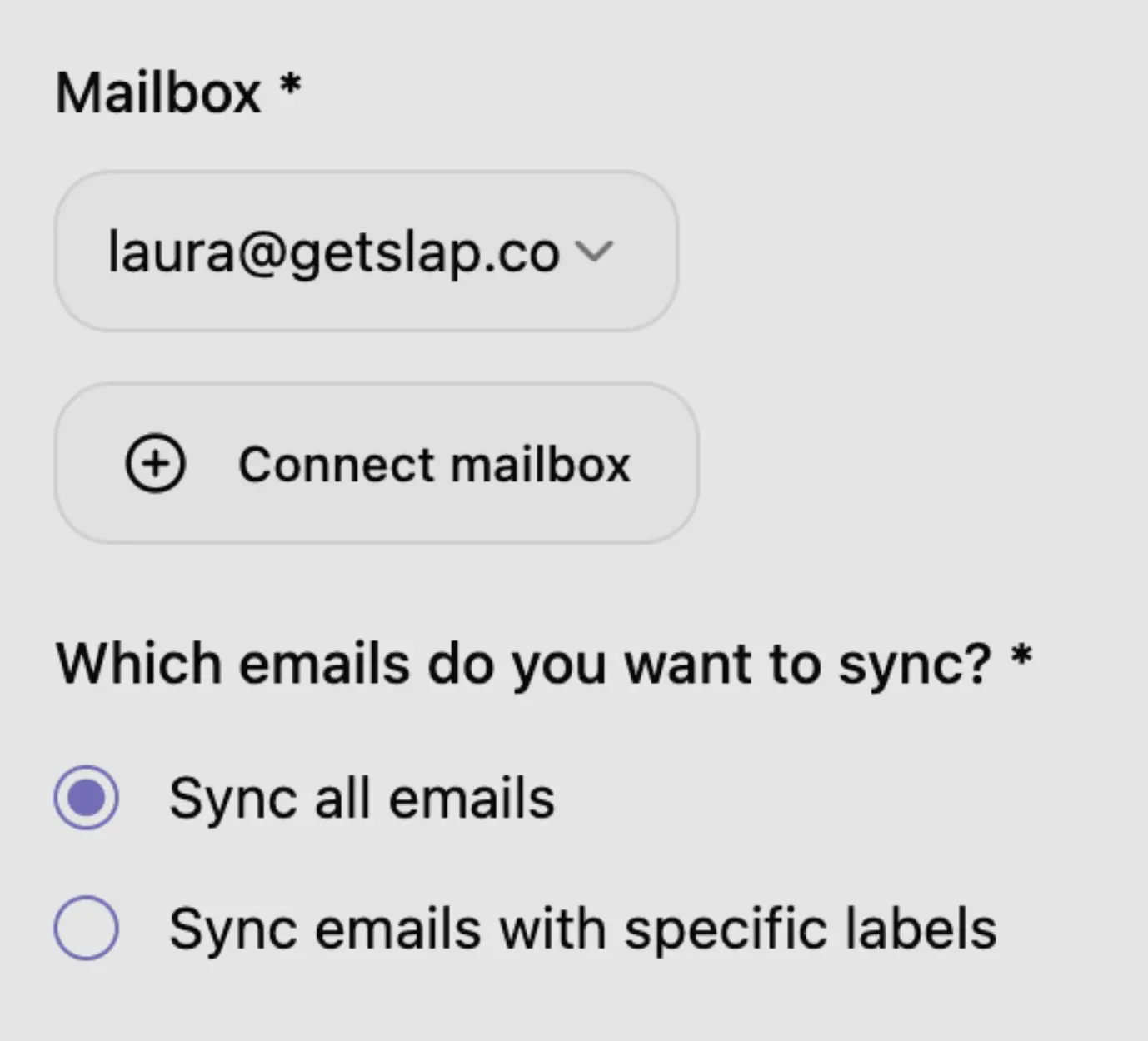
Step 2
Connect your Mailbox
Connect your Gmail or Outlook mailbox in 2 clicks. You can choose to sync all your emails or only specific labels.
Step 3
Put your Notion email integration to the test
Send a new email and see it appearing in Notion in a few seconds.
Simple and transparent pricing
$8 (excl. tax) per user / month (billed yearly)
Frequently asked questions
Keep your emails in Notion after the shutdown
Connect Gmail or Outlook to any Notion database in about 5 minutes.