Missive alternative
Missive brings your team into a shared inbox. SlapMail brings your inbox into Notion.
7-day free trial. No credit card. About 5 minutes to set up.
Missive vs. SlapMail
The short answer, before the detail.
| Feature | Missive | SlapMail |
|---|---|---|
| How emails arrive | Missive Mailboxes connected to the Missive app, plus SMS, WhatsApp, social and live chat | SlapMail Gmail and Outlook synced into Notion, everything or only specific labels and folders |
| Reply and send from Notion | Missive No, replies are sent from the Missive app | SlapMail Yes, sent from your real address on every plan |
| Where emails live | Missive In Missive and your mailbox | SlapMail In Notion (one page per thread) and your mailbox |
| Email providers | Missive Gmail, Outlook, Microsoft 365 and most IMAP servers | SlapMail Gmail and Outlook |
| Attachments stored in Notion | Missive Only through an automation you build | SlapMail Yes |
| Automatic property mapping | Missive No native mapping to Notion properties | SlapMail Yes: sender, dates, subject, attachments and more |
| Contact association | Missive Yes, in Missive contact books | SlapMail Yes, links emails to a contacts database in Notion |
| Shared inbox and teammate replies | Missive Yes: team inboxes, assignment, internal comments, shared drafts | SlapMail Yes: assignment and status in Notion, comments on the page, replies from Notion |
| AI | Missive AI assistant in Missive, on your own API key. Can create Notion pages through Notion MCP | SlapMail Fixed fields on every sync, then Notion AI or an agent works on the email in Notion |
| Free plan | Missive No, 30-day free trial | SlapMail No, 7-day free trial without credit card |
| Paid plan | Missive From $14 per user / month billed yearly, up to 5 users. Integrations, rules and MCP from $24 | SlapMail From $8 per user / month, unlimited emails |
Why people switch from Missive
When Notion teams pick SlapMail over Missive, it’s usually for one of these.
One tool instead of two
With Missive, the team works in Missive and goes to Notion for everything else. SlapMail puts the emails in the Notion databases the team already uses, so there’s no second app to keep open.
Emails next to customers and projects
Each email thread is a Notion page linked to the customer’s contact page, next to their projects, deals and notes. In Missive, conversations sit in Missive, and Notion only gets what an automation sends there.
Notion AI on the whole thread
The full thread sits on the Notion page, so Notion AI or an agent can read it, draft the reply, tag it and sort the queue with your workspace as context. Missive’s assistant works inside Missive, on your own API key.
A seat only for the people who reply
Missive charges every user from $14 per month billed yearly. With SlapMail, anyone in the workspace can read and comment, and only the people who send or reply need a seat.
Which one should you choose?
Sometimes the answer is Missive.
When to choose Missive
- You want a dedicated email client where the whole team works all day.
- You handle SMS, WhatsApp, Instagram or live chat next to email.
- You're not on Gmail or Outlook - Missive supports most IMAP servers.
- You need SSO, IP restrictions or advanced reporting on response times.
Typically, a team whose main tool is the inbox, with Notion used for docs on the side.
When to choose SlapMail
- Notion is your team's source of truth, and email should live there too.
- You want to reply from Notion, from your own address.
- Your emails need to sit next to customers, tickets, deals and projects.
- Several people follow the inbox, but only some of them reply.
Typically, a support, sales or client inbox inside the Notion workspace your team already runs on.
How to switch from Missive
Your emails are still in your Gmail or Outlook mailbox, so there's nothing to migrate. SlapMail can run alongside Missive while you set it up, and the whole thing takes about five minutes.
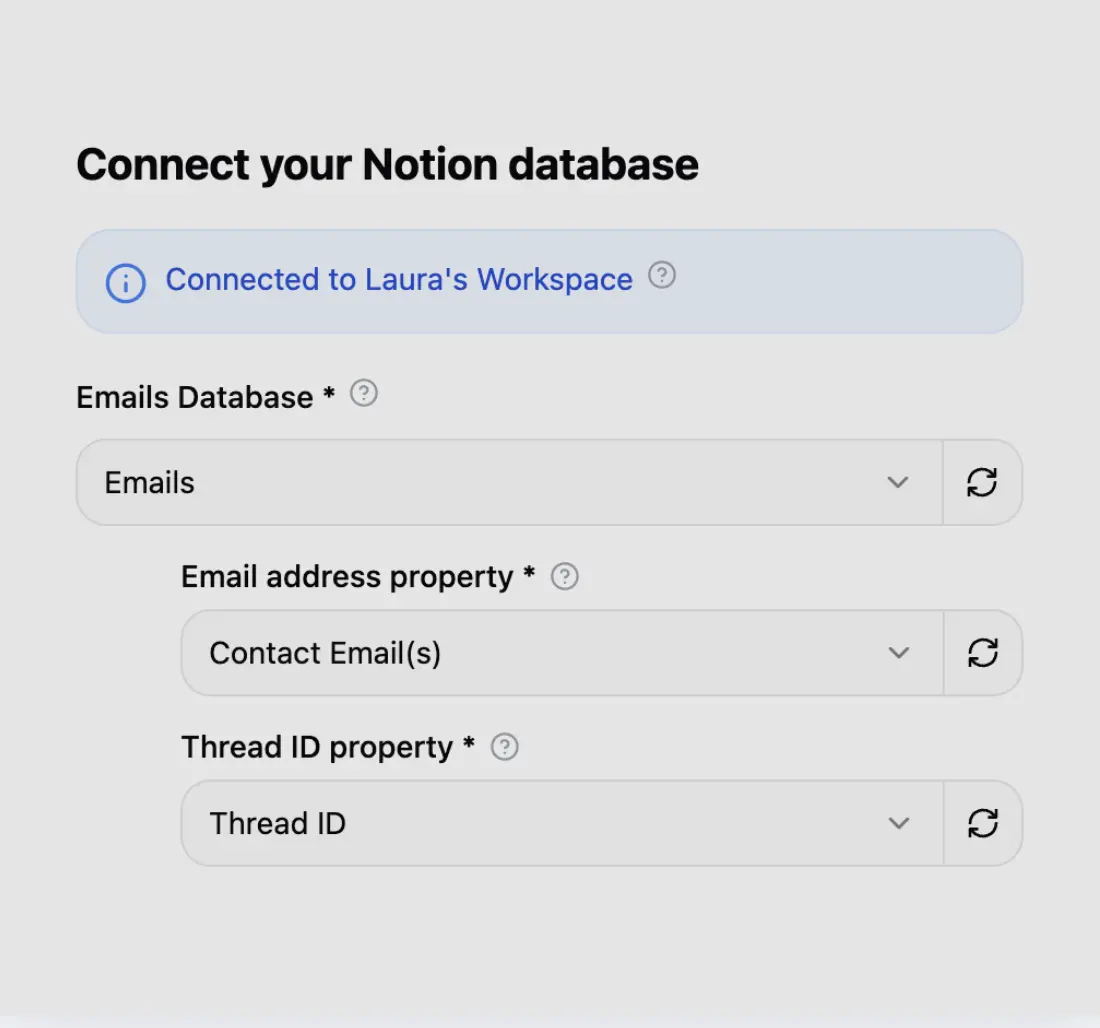
Step 1
Connect your Notion database
Connect your Notion workspace in seconds and choose which database your emails should land in.
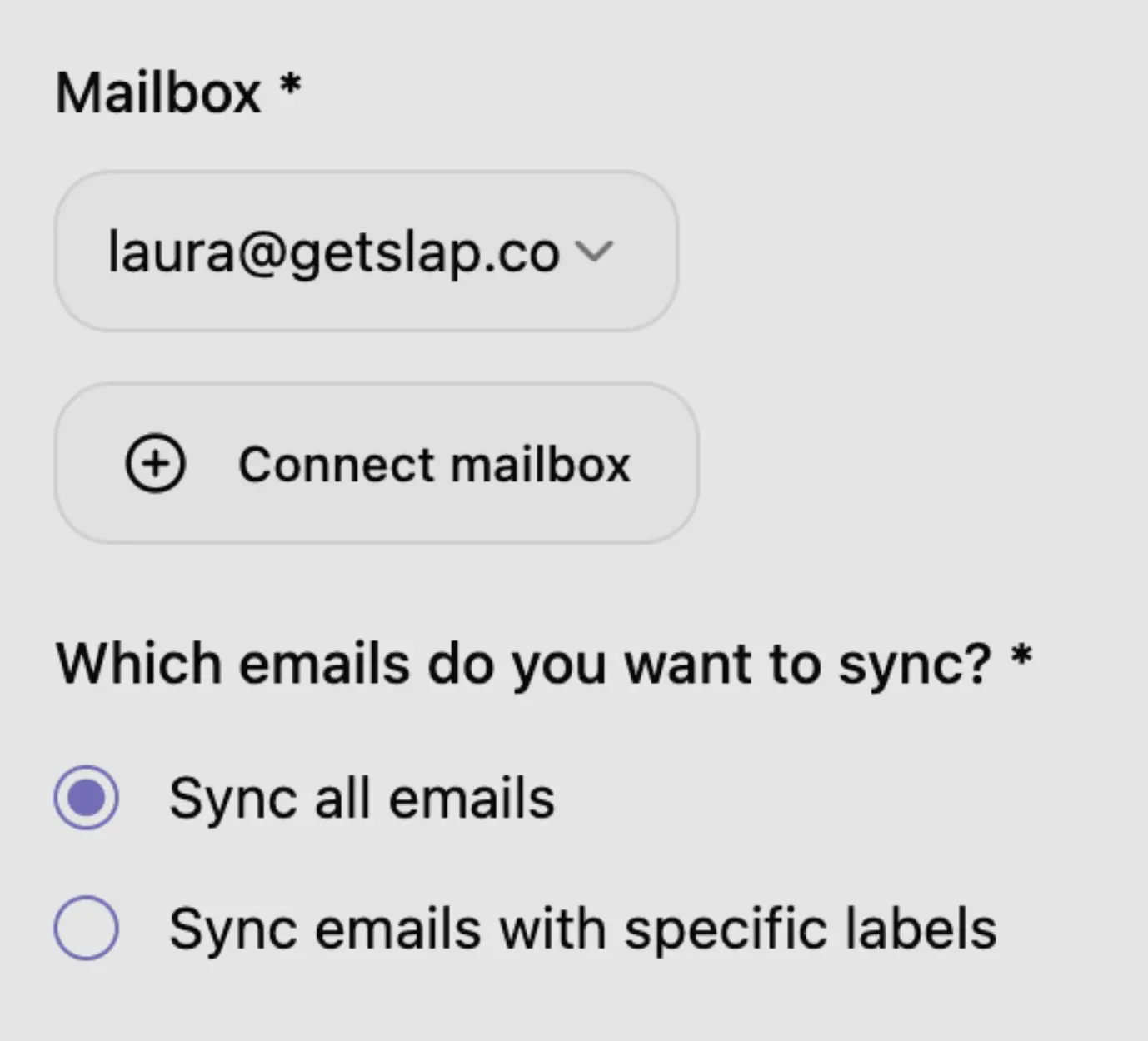
Step 2
Connect your mailbox
Connect Gmail or Outlook in 2 clicks. Sync everything, or only specific labels or folders.

Step 3
You're all set
Your emails land in Notion. Assign, comment and reply from there.
Simple and transparent pricing
$8 (excl. tax) per user / month (billed yearly)
Frequently asked questions
For a team that runs on Notion, yes: SlapMail keeps emails, assignment and replies inside Notion, while Missive is a separate app. Missive is the better fit if you need:
- More channels - SMS, WhatsApp, Instagram and live chat next to email.
- Any email provider - Missive supports most IMAP servers.
- A dedicated email client - with SSO and advanced reporting.
Running a shared inbox in Notion? Read how to manage your shared inbox with Notion.
Ready to run your shared inbox from Notion?
Connect Gmail or Outlook to any Notion database in about 5 minutes.
Google CASA Tier 2 · Microsoft-verified publisher