Notion Mail is shutting down on September 22, 2026. If you used it - whether for its Notion-style views, or to sync your emails into your Notion workspace - you now need a new plan.
The good news: you can bring your emails back into your Notion workspace - reorganized as a database, much like the views you had in Notion Mail, and landing where they’re actually useful: linked to a project, a ticket, or a contact.
Here’s what actually changes, what stays, and the realistic ways to keep working the way you liked - email in Notion, organized views, and all.
TL;DR: Notion is retiring Notion Mail. Your email history stays safe in Gmail. What you lose is the dedicated inbox and the custom views you set up there. To keep your email - and rebuild those views - inside Notion, the main options are a dedicated sync tool like SlapMail, Notion’s own AI agents, or a standalone client. Want email simply living in Notion? A sync tool is the simplest fix. Want AI to act on it? An agent is worth the tokens.
What’s actually shutting down (and what isn’t)
The headline sounds dramatic, but the details matter.
What goes away on September 22:
- The Notion Mail inbox across web, desktop, and iOS.
- Custom views and sorting you set up inside Notion Mail.
- Drafts, scheduled emails, snippets, and auto-label instructions that only live in Notion Mail. Export these before September 21 or they’re gone.
What stays:
- Your email history. Notion Mail always synced two ways with Gmail, so every message also lives in your Gmail inbox.
- The Gmail AI Connector, so Notion AI can still search and draft from Gmail.
- Mail blocks you’ve already added to Notion pages.
- AI agent mail tools that connect through Gmail.
Why Notion is doing this
Notion was clear about the reason. As their agents got more capable, more people let those agents handle email instead of opening the inbox.
In their words, on X: “more than half of Notion Mail users manage emails without ever opening their inbox. So, we’re going all in on using agents to run your inbox.” You can read the official announcement here.
That tells you where they’re pointing: agents, not a mail client.
Worth keeping in mind: Notion agents run on tokens, billed on top of your Notion plan. So there’s a commercial logic to steering email toward agents, not only a product one - and the more email you hand them, the more usage you spend.
Notion Mail alternatives to keep email in Notion
There are several solid Notion Mail alternatives, and there’s no single right answer. The best one depends on what you valued about Notion Mail: having the email itself in Notion, the organized views you built around it, or AI acting on your messages. Those are different jobs, and the right Notion Mail alternative depends on which ones matter to you.
If you want an even wider view, we compared 5 email-to-Notion tools in a separate guide.
SlapMail
Full disclosure, SlapMail is the tool we build - so here’s exactly what it does.
SlapMail sets up a direct two-way sync between Gmail or Outlook and any Notion database. You add a Gmail label, and the matching emails sync to the database you chose, one page per thread. You can reply from Notion, and the reply goes out from your real address.
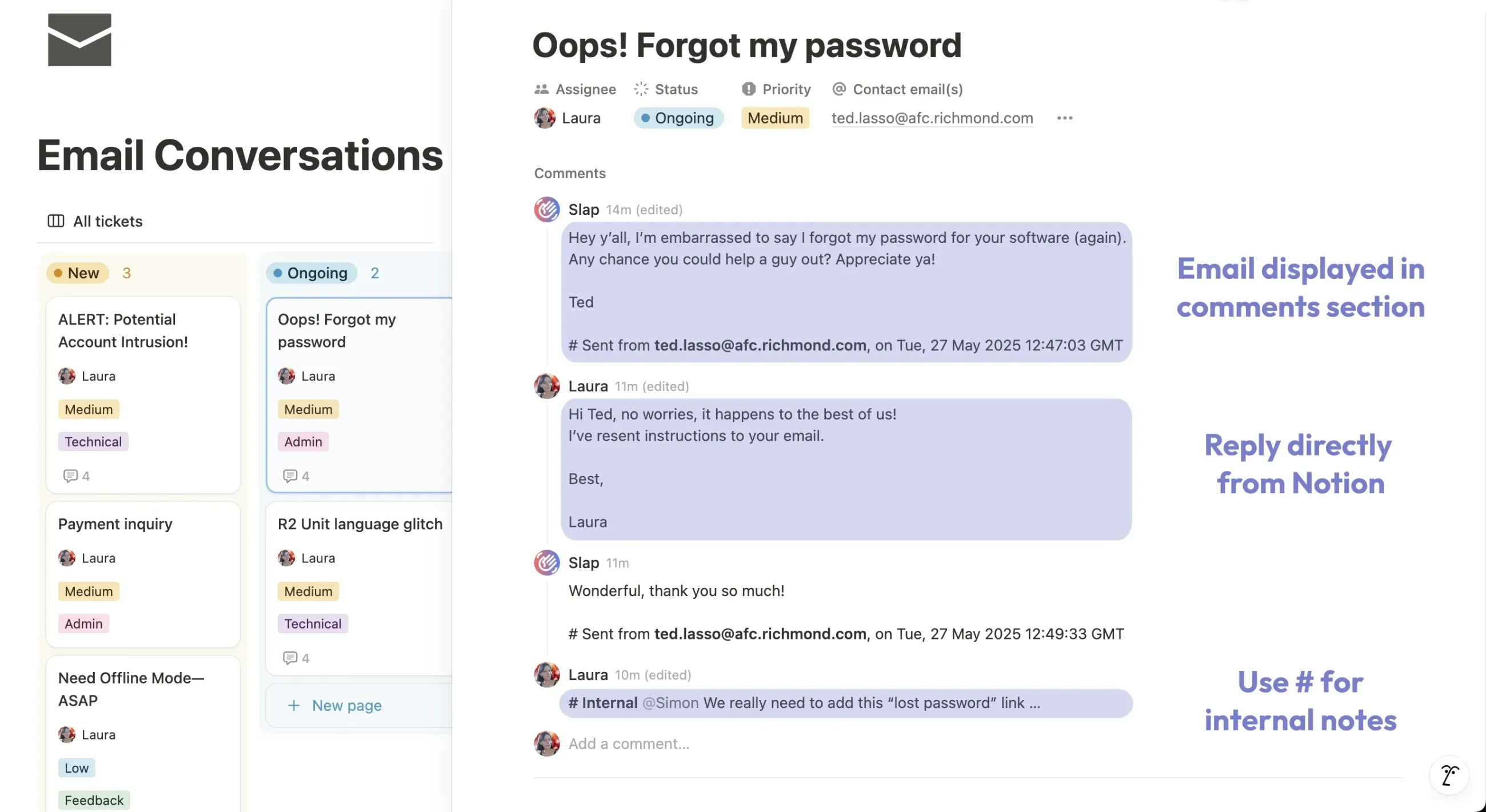
It also fills in the things Notion Mail never did: attachments stored in Notion, emails linked to the right contact, last sent and received dates tracked, and shared inboxes so a teammate can answer an email you received.
It works for both Gmail and Outlook, and setup takes about five minutes. And because your email lands in a normal Notion database, you can rebuild the views you had in Notion Mail - filtered, grouped, and sorted however you like.
Where it’s not the right fit: if you don’t actually want email living in a Notion database, this isn’t for you. I went deeper on the differences in our Notion Mail vs SlapMail comparison.
How SlapMail compares to Notion Mail
| Feature | Notion Mail | SlapMail |
| Email providers | Gmail only | Gmail and Outlook |
| Automated sync (no forwarding needed) | Yes | Yes |
| Emails as Notion pages | On the chosen page or database | One page per thread, in any database you pick (one database per Gmail label) |
| Reply from Notion | No, reply from Notion Mail | Yes |
| Attachments stored in Notion | No | Yes |
| Linked to your contacts | No | Yes |
| Last sent and received dates kept as properties | No | Yes |
| Shared inbox (teammate replies) | No | Yes |
| Organized database views | Inside Notion Mail | Inside your own Notion workspace |
Notion’s custom AI agents
Custom agents can read, draft, and send email through Gmail, and act on it. You can build one that summarizes a thread or pulls out next steps.
The trade-off is cost. Agents run on tokens, so paying them just to copy an email into Notion is overkill. Moving email is a deterministic task, and you don’t need an LLM for something that simple.
Agents earn their cost when you want them to think, not just transport.
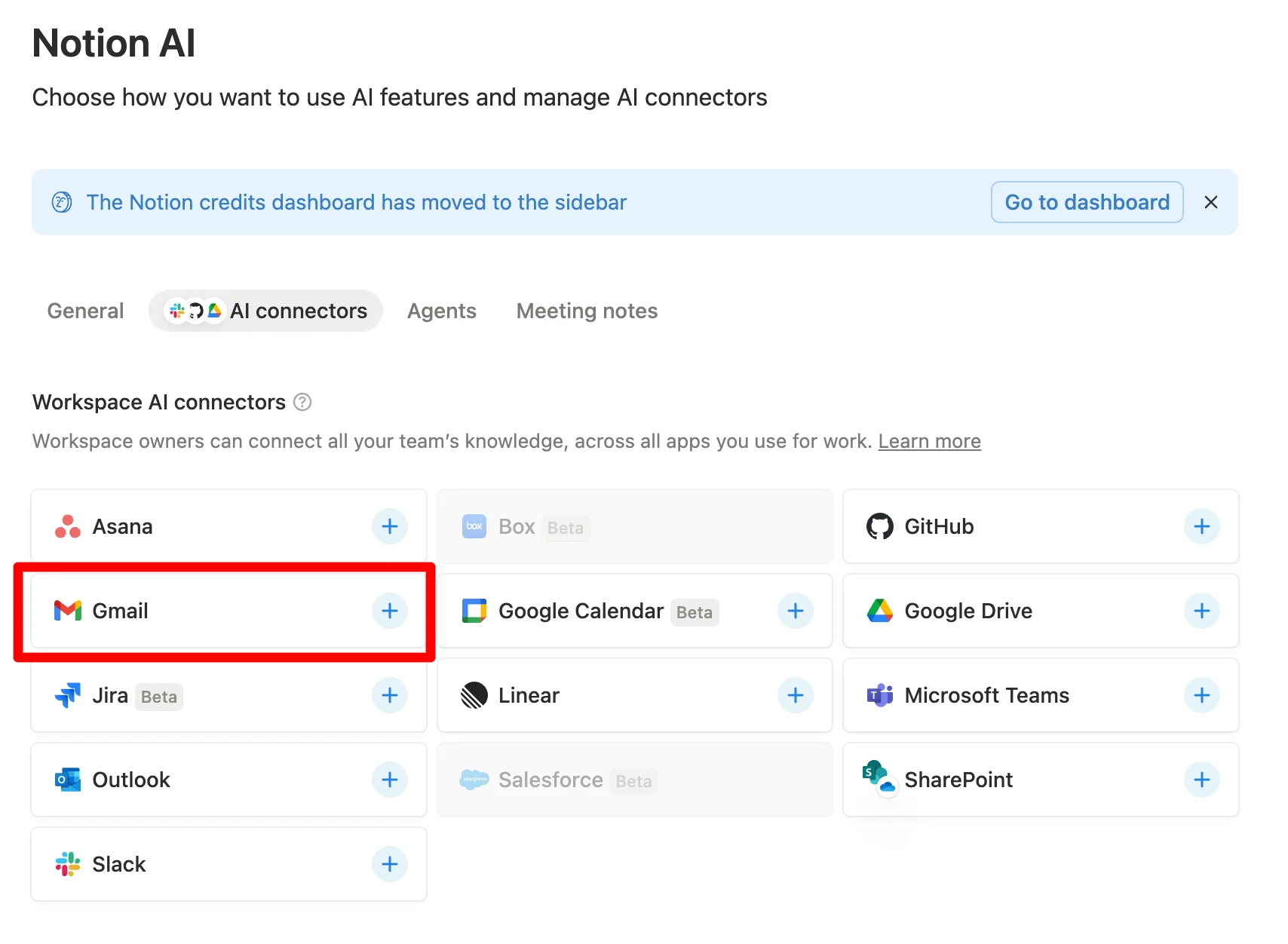
The personal Notion agent
If you’re on Business, you already have a personal Notion AI agent included. It’s a good way to process emails that are already in Notion - ask it to summarize a thread or draft a reply - without paying per token.
I use it for exactly that.
Notion Workers
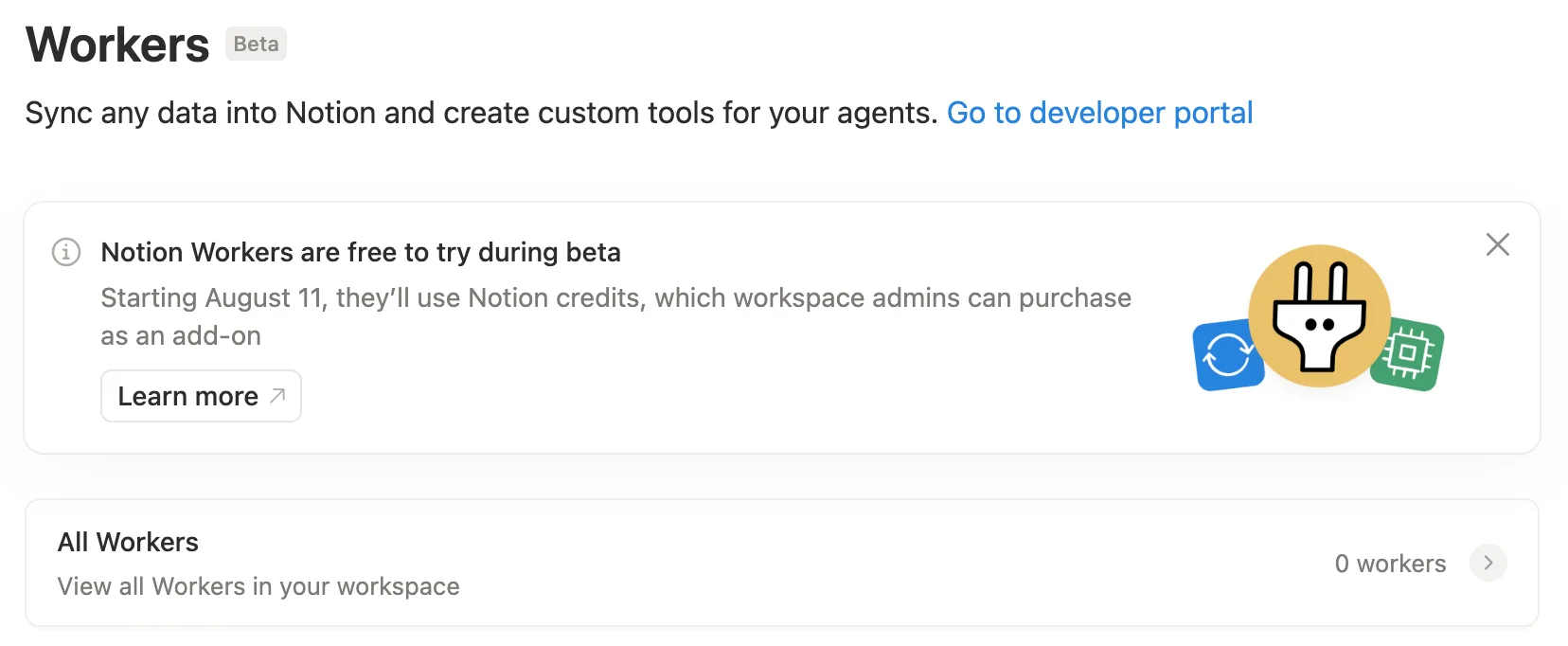
Workers are the most technical route. You can wire one up to move email into Notion, and they cost less in tokens than a full custom agent.
The catch is maintenance. Worth it if you like tinkering or have someone who’ll keep it running.
Going back to a standalone client
Some people will decide email doesn’t need to be in Notion at all and go back to Gmail, Outlook, or another client. That’s a valid call - not every workflow needs email in the workspace. Still, if you find yourself copy-pasting emails into Notion, that’s a sign your workflow could use a little help.
A quick comparison
| Option | Gets email into Notion | Reply from Notion | Cost | Best for |
| SlapMail | Yes, automatic two-way sync | Yes | From $8/month, unlimited emails synced | Teams and solos who want email living in Notion databases |
| Notion custom AI agent | Yes, if you build it | Via Gmail tools | Pay per token | Letting AI act on email (summarize, extract tasks) |
| Personal Notion agent | Limited, on request | Via Gmail connector | Free on Business | Processing emails already in Notion |
| Notion Workers | Yes, if you build and maintain it | Depends on setup | Some tokens, less than agents | Tinkerers who want full control |
| Standalone email client | No | No | Depends on the client ($0 if you go back to Gmail) | People who keep email out of Notion |
The way I actually do it
Honestly, I combine three of these.
I use SlapMail to get the email into Notion - that’s the deterministic part. I want to be sure every email actually lands, complete and untouched, before any AI gets near it. AI can always reinterpret a message or drop a detail, and I’d rather not risk that on the raw record. It’s cheaper, too: no tokens spent just to move an email. Once a thread is in Notion, I let my personal agent (or a custom agent for support tickets) process the ones that need it: a summary here, a task list there, a draft reply.
Sync deterministically. Process selectively. That split keeps the cost where it belongs.
How to switch from Notion Mail to SlapMail
Migration is light:
- Create a SlapMail free trial account (no need to enter your payment info, you can test it at no risk)
- Connect your gmail mailbox in about five minutes, and choose which labels sync to which database (or sync all emails to a single database if you prefer).
- Run SlapMail and Notion Mail side by side for a smooth transition.
- If you relied on specific views in Notion Mail, rebuild them inside the Notion database that now stores your email.
That’s it. No forwarding addresses, no rebuilding your inbox from scratch.
FAQ
Is Notion Mail really shutting down?
Yes. The Notion Mail inbox shuts down on September 22, 2026, across web, desktop, and iOS. All plans are affected.
Will I lose my emails?
No. Your email history lives in Gmail and isn’t affected. Only Notion Mail-only data - drafts, scheduled emails, snippets, and auto-label instructions - needs exporting before September 21.
Can I still use email inside Notion after the shutdown?
Yes. The Gmail AI Connector, existing mail blocks, and agent mail tools keep working. Tools like SlapMail also sync email into Notion databases.
What happens to my synced Notion Mail database views?
They stay, and you keep the emails already synced. But after September 22 they stop receiving new messages.
What’s the best Notion Mail alternative?
It depends on the job. For getting email into Notion, a sync tool like SlapMail is the simplest. For having AI act on your email, a Notion agent fits better. Many people use both.
Get started
A few steps that hold regardless of which tool you land on:
- Export your Notion Mail-only data before September 21 - drafts, scheduled emails, snippets, and auto-label rules. Everything else stays in Gmail.
- Decide what you need: email in Notion, AI acting on it, or both. The answer points you to the right tool.
- Pick one and run it in parallel before the shutdown, so you’re settled well before September 22.