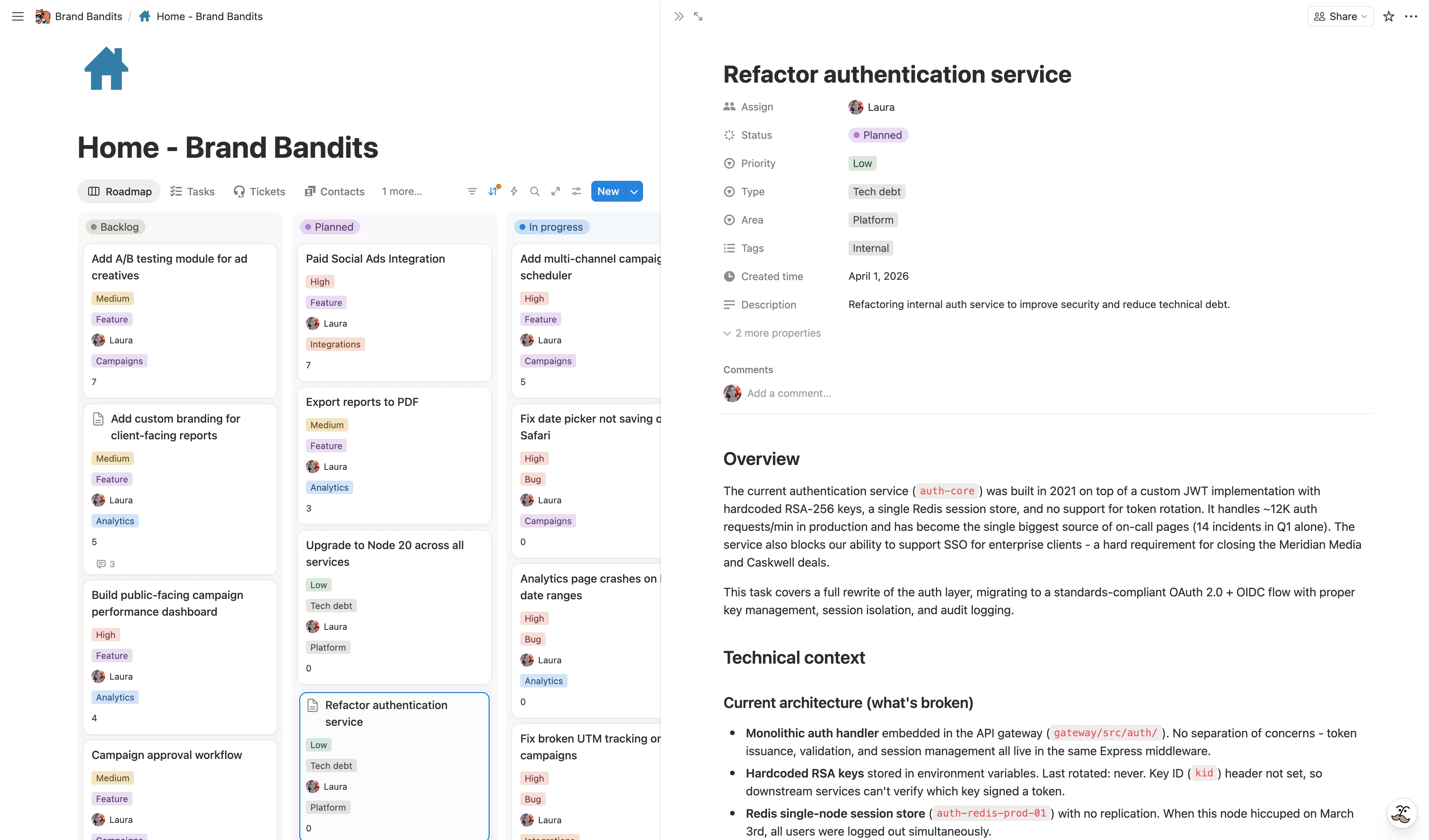
We manage our entire product roadmap in Notion - tasks, priorities, specs, everything. When we wanted to share that roadmap with our users and let them vote on features, we didn’t want to duplicate all that data into a separate system.
SlapPortal connects directly to our Notion database - so the roadmap our users see is powered by the same tasks we work with every day. And unlike a public Notion page, we control exactly what users see. Here’s how we set it up.
TL;DR - Watch the video below and grab the free Notion template to get started right away.
Why keep your roadmap in Notion
If your product tasks already live in Notion, moving them to a dedicated roadmap tool means duplicating data, maintaining two systems, and working in one place while your users see another.
Keeping the roadmap in Notion means:
- One source of truth - Your tasks, priorities, and status updates exist in one place. When you move a feature to “In progress,” your users see it immediately.
- You work where you plan - No tab-switching to update a public roadmap separately. The board your team uses daily is the same one that powers the external view.
- Full Notion flexibility - Filters, views, relations, rollups, automations - everything you already use to manage your work also drives what your users see.
- No migration - You don’t need to restructure anything. Your existing database works as-is.
- Direct prioritization signal - Votes live on your tasks as Notion relations. You can sort by vote count, see who voted, and cross-reference with your users database to understand which segments want what. No need to reconcile data from two places. We go deeper into this in the going further section below.
The options (and their trade-offs)
We explored several approaches before building ours.
Notion public page
Notion lets you publish any page to the web. It’s free and instant.
The good:
- No setup, no cost
- Users see actual Notion content
The not-so-good:
- You can’t control which properties are visible - internal fields like assignees, notes, and priority scores are exposed
- No voting or interaction
- No access control - it’s public or nothing
For a quick internal share, this works. For a user-facing roadmap, it exposes too much.
No-code builders (Softr, NotionApps, etc.)
Tools like Softr or NotionApps connect to Notion and let you build custom interfaces.
The good:
- Full control over the UI
- Can add voting, filtering, user accounts
- Custom domain support
The not-so-good:
- You’re rebuilding the interface from scratch
- Notion page content (descriptions, specs) doesn’t render natively
- More setup and maintenance
- Separate pricing on top of Notion
This can be a good fit if you want a fully custom portal. But for a roadmap specifically, it felt like overbuilding.
Dedicated tools (Canny, Featurebase, Frill, Nolt)
Purpose-built roadmap and feature voting tools.
The good:
- Polished UI specifically designed for roadmaps
- Built-in voting, changelogs, feedback boards
- Established products with mature features
The not-so-good:
- Your data lives in a separate system
- You need to sync or duplicate tasks manually (or via integrations that add complexity)
- Another subscription, another tool to manage
- Your team still needs to work in Notion for actual development
If your workflow isn’t centered on Notion, these tools are excellent. But if Notion is already your hub, the duplication becomes real friction.
SlapPortal
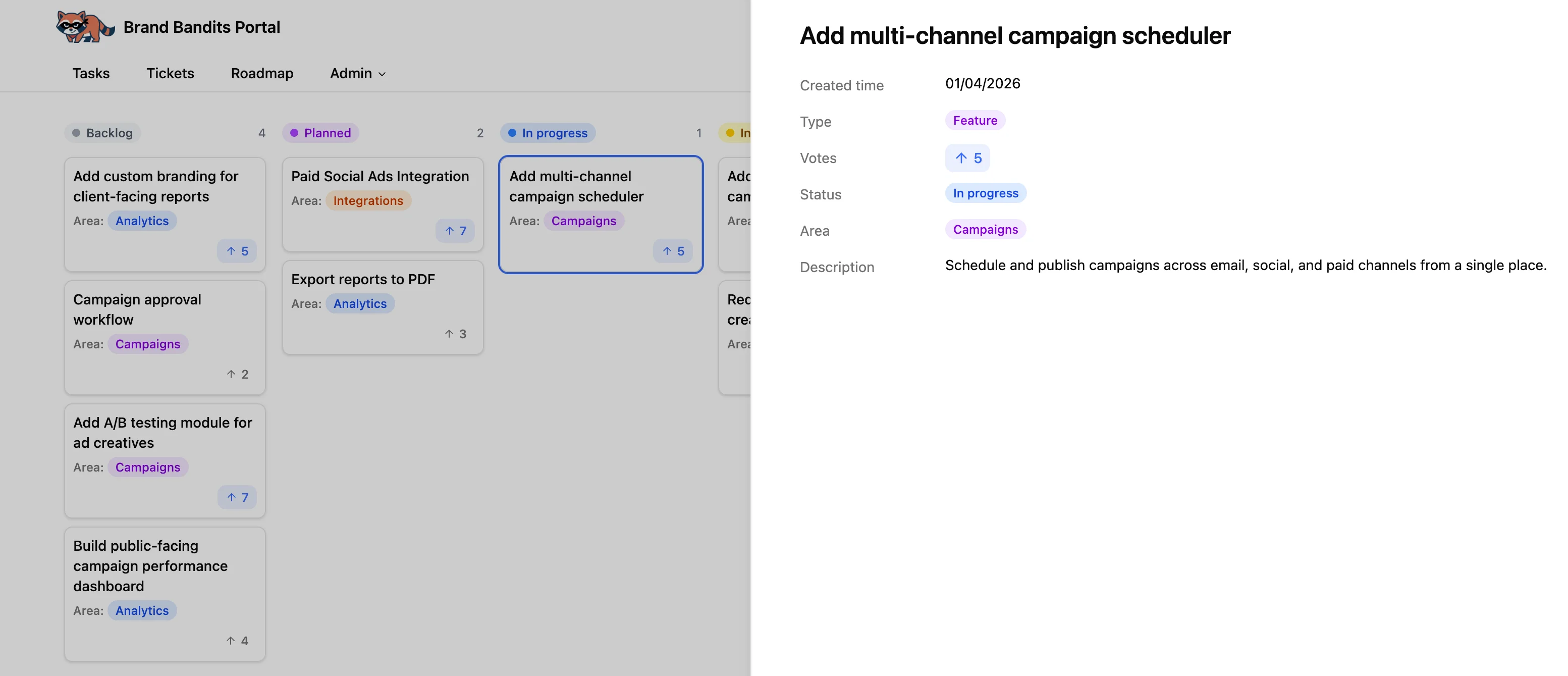
This is the approach we use. SlapPortal connects directly to your Notion database and renders it as an external portal.
The good:
- No data duplication - your Notion database is the source
- You choose exactly which properties and pages to display
- Built-in voting via Notion relations
- Comments sync between the portal and Notion
- Works with your existing database structure
The not-so-good:
- The UI is functional but less polished than dedicated tools like Canny or Featurebase
- Separate subscription
How to set it up
The setup has two parts: preparing your Notion database, then configuring SlapPortal.
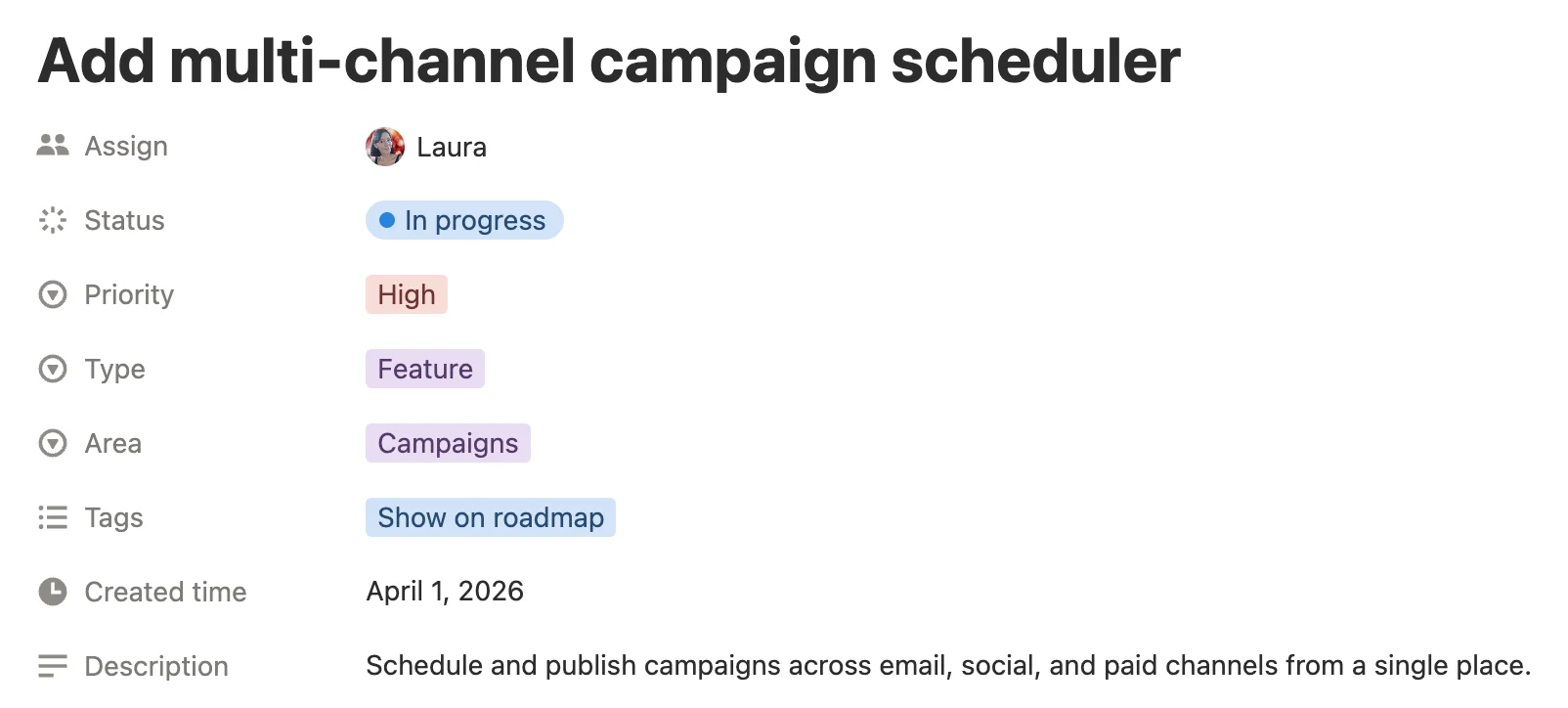
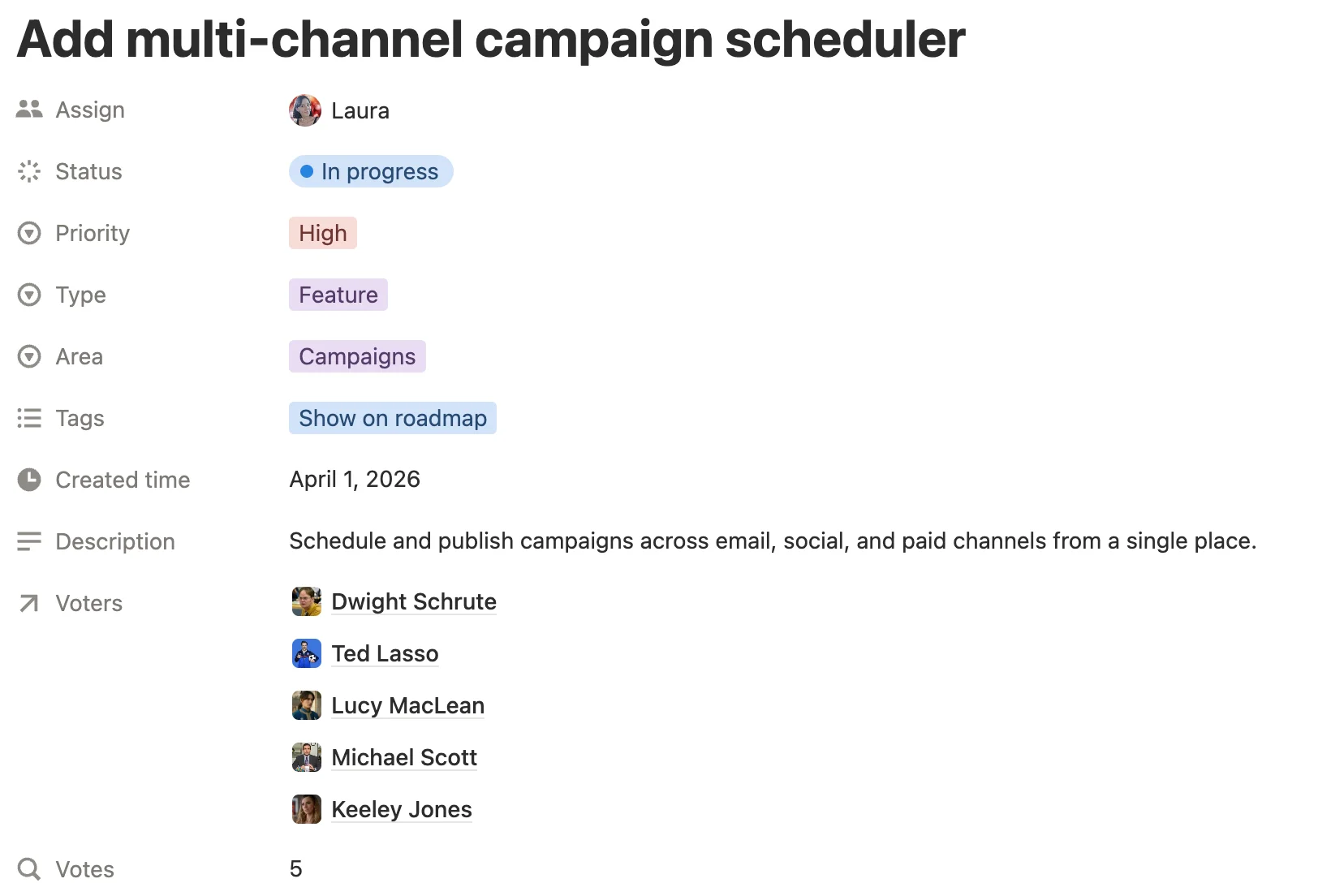
Step 1: prepare your Notion database
You need a database with your product tasks or features. If you already have one, you don’t need to change it. If you’re starting fresh, grab the free template.
At minimum, your database should have:
- Title - The feature or task name (this is what users will see)
- Status - So you can group the tasks by status
Optional but useful:
- Description - A user-facing explanation of the feature (it’s usually better to have a specific text property for this instead of sharing the whole page body).
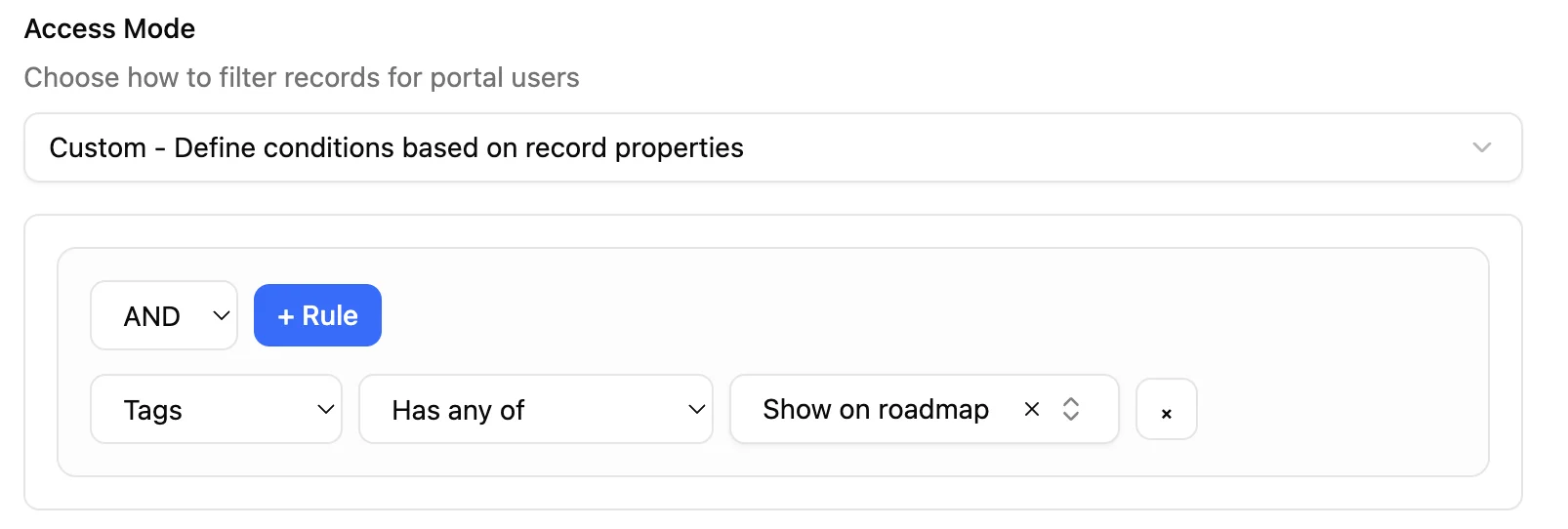
- A property to control visibility - If you don’t want to show all your tasks, add a tag or checkbox to flag which ones to share. For example, an “Internal” tag to filter out, or a “Show on roadmap” checkbox to opt in task by task. SlapPortal will use these properties as filters - same logic as Notion filters - to determine what gets displayed.
- Priority, Assignee, … - For your internal use (you can hide this from the portal)
Set up the voting relation
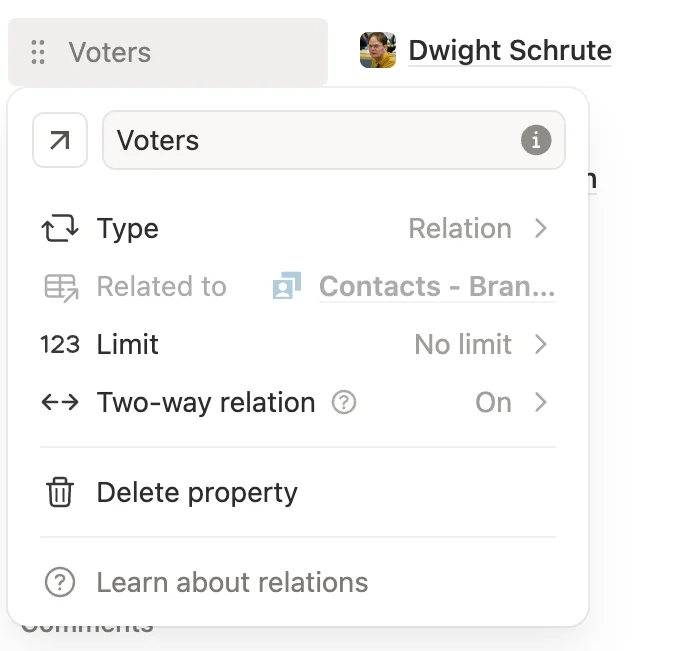
Voting in SlapPortal works through a two-way Notion relation between your tasks database and your users/contacts database.
- Open your tasks database
- Add a new Relation property
- Link it to the database where your portal users are stored (this is the database you’ll connect to SlapPortal’s user management - more on this in step 2)
- Make sure it’s a two-way relation - one-way relations won’t work
When a user votes on a feature, they’re added to this relation. When they remove their vote, they’re removed. The vote count is simply the number of entries in the relation.
Tip: If you want to display the vote count as a number, add a Rollup property on your tasks database that counts the related records in the voting relation.
Step 2: configure SlapPortal
Connect your users database
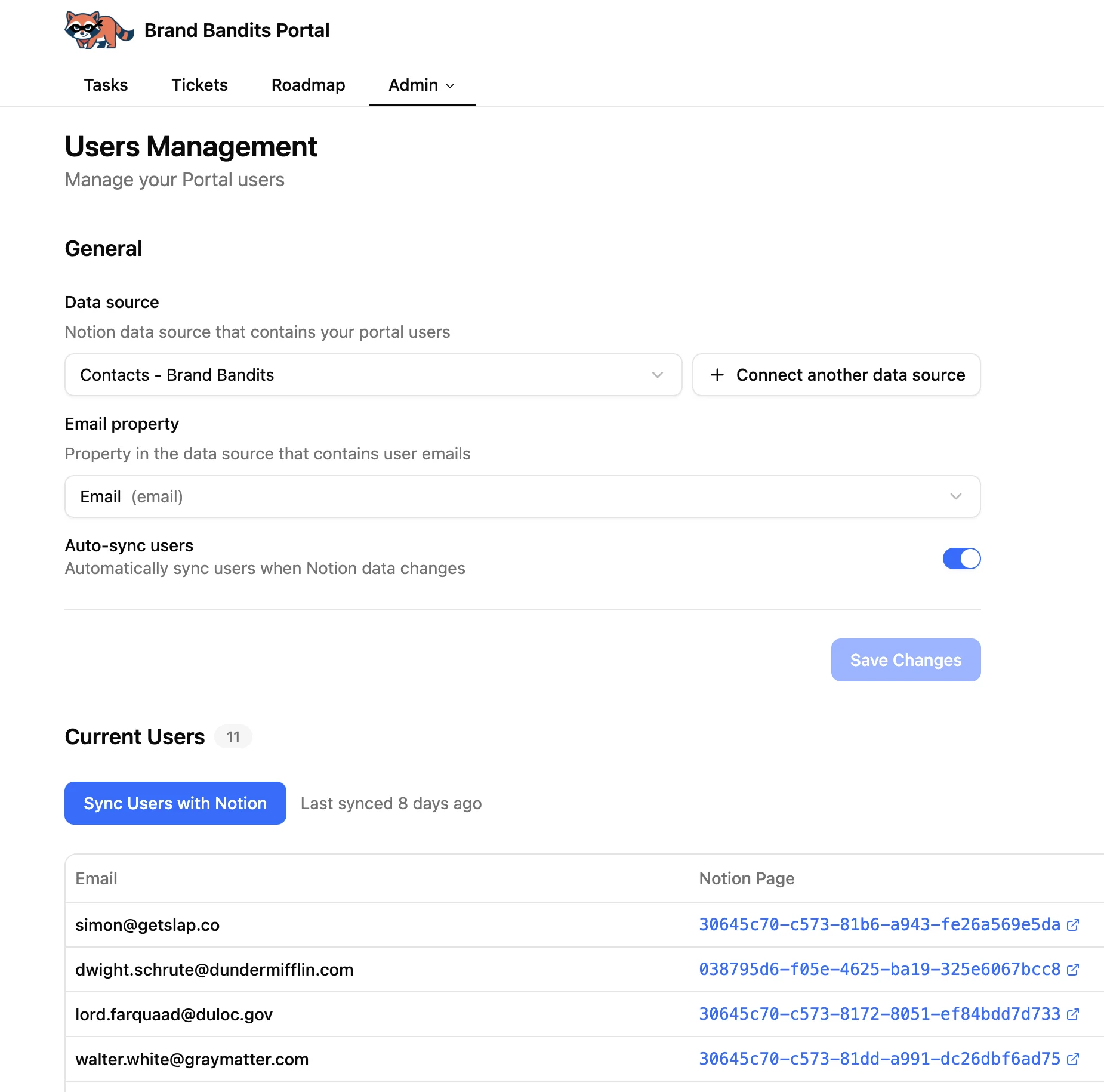
Before setting up the roadmap tab, connect your users database. This is the database that contains the email addresses of the people who will access your portal.
- Go to Admin > Users
- Click Connect a data source and select the Notion database that holds your users/contacts
- Map the email property
- Save
These users will be able to log in to your portal by entering their email address. They receive a one-time password - no account setup needed. Once logged in, they can access the roadmap and vote.
For the full setup, check the users documentation.
Create the roadmap tab
- Go to Admin > Tabs and create a new tab
- Select your product tasks database as the data source
- Configure the view:
-
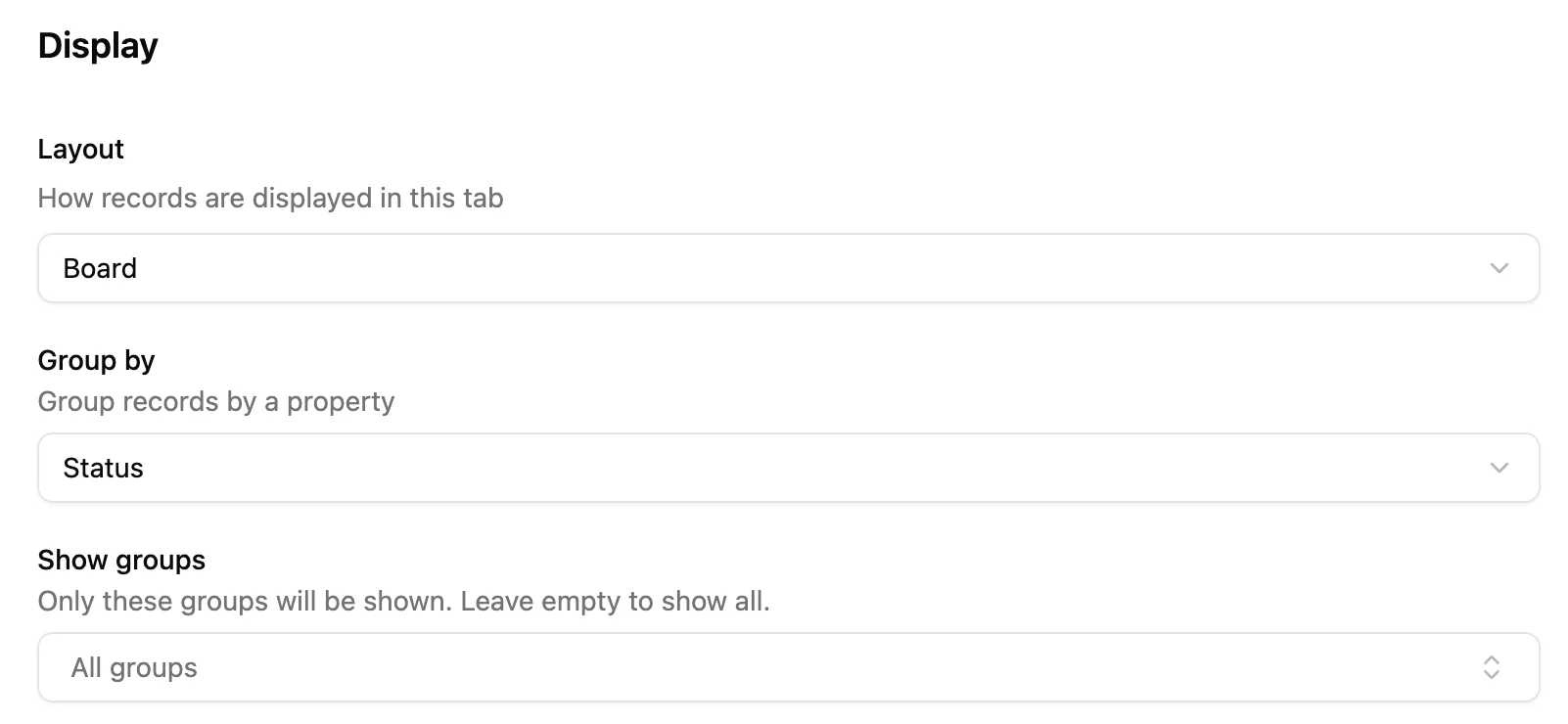
Choose a layout - Board view grouped by status works well for roadmaps. You can also hide specific columns - for example, if you have a “Cancelled” status, hide it to keep the roadmap clean. List view is also an option.
-
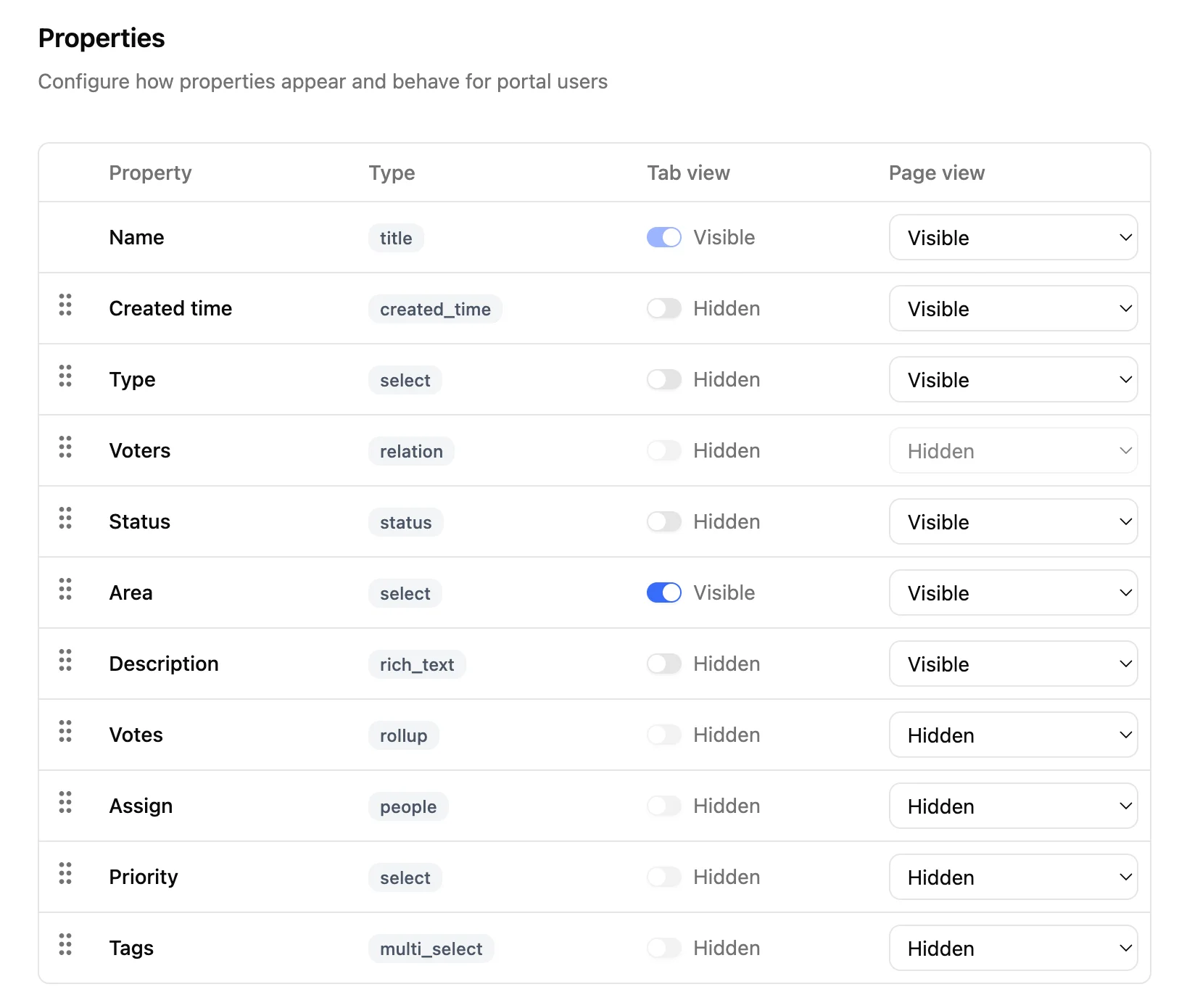
Choose which properties to display - You configure visibility per view type, so you can show a property only on the detail view (when the user opens a page) but not on the board or list. For example, show the description only when a user clicks into the feature, and keep the board cards minimal.
-
Add filters - Only expose tasks that should be public. For example, filter by your “Show on roadmap” checkbox or a specific status group.
-
Enable voting
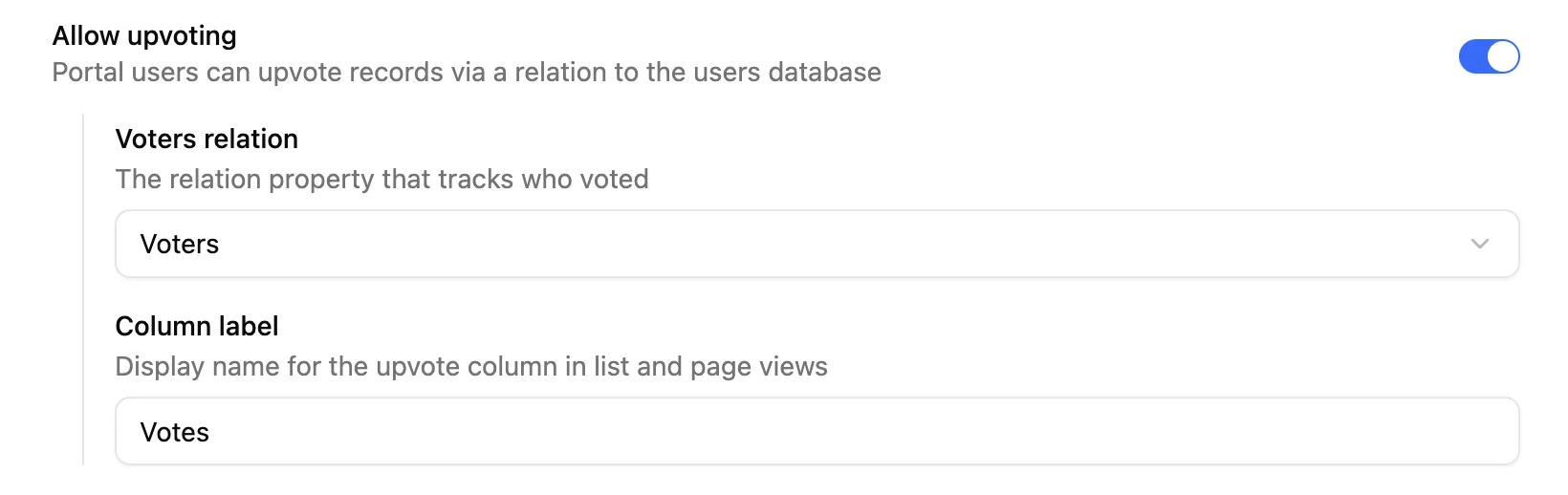
- In the tab settings, find Allow upvoting and enable it
- Select the relation property that links to your users database (the one you created in step 1)
- Set a label - this is what users see (e.g., “Votes” or “Interested”)
That’s it. Your roadmap is live and users can start voting.
Note: The portal currently requires users to log in. A public (no-login) option is planned for a future release.
For the full voting setup details, check the voting documentation.
Going further
A roadmap with voting is a good start. But because everything lives in Notion, you can build more on top of it - from knowing who wants what to closing the loop between support and product.
Prioritize based on real signal
Votes give you a quantifiable input for prioritization. We added vote count as one of our criteria when deciding what to build next - alongside internal urgency, technical effort, and strategic alignment.
Since votes are stored as Notion relations, you can sort, filter, and roll up the data however you want. No exports, no dashboards in a separate tool.
You also know exactly who voted on what. Your users database can contain any information - company, plan, role, region - so you can cross-reference votes with user profiles to understand which segments care about which features. Notion AI makes this even faster: ask it to summarize voter demographics for a specific feature and get the answer in seconds.
Notify users when their feature ships
Because each vote is a relation to a specific contact, you know exactly who cares about each feature. When a feature moves to “Done,” you can reach out to those users directly.
If you’re using SlapMail to manage your email from Notion, this becomes even simpler - the contact is already in your workspace, and you can draft a quick update without leaving Notion.
Connect voting to your support tickets
This is one of the more powerful patterns. If you use Notion as your ticketing system (with SlapMail or otherwise), you can link support tickets to feature requests.
When a user writes in about a feature that isn’t built yet, you can:
- Associate the contact with the feature request via the voting relation
- This effectively counts as a vote from that user
- Over time, you build a picture of which features generate the most support volume
This closes the loop between support and product. Tickets aren’t just resolved - they feed into your prioritization.
Your roadmap, your rules
If your product team already lives in Notion, building a shared roadmap shouldn’t mean adopting another tool and maintaining a copy of your data somewhere else. Notion stays your workspace for planning and execution. SlapPortal adds the layer that makes it accessible to your users - with voting, access control, and property-level visibility.
Everything stays connected. One database, one source of truth, and a direct feedback loop from the people using your product.
- Set up your Notion database with a tasks table and a users table linked by a two-way relation. Or use the free template.
- Connect SlapPortal to your database - configure which properties to show, add filters, and enable voting. Start free at getslap.co/portal.
- Watch the walkthrough for a quick visual overview: How to share a Notion roadmap with voting.