Users
Portal users are the external users who have access to your portal. They are managed through a Notion database - no Notion account required.
User roles
Each SlapPortal user has one of two roles:
- Member - can access the portal and interact with the tabs and records they have been given access to.
- Admin - has the same access as a member, plus access to the Admin panel to configure the portal.
Connect your Notion user database
Portal users are sourced from a Notion database. That database must contain a property (title, email, or text type) that holds each user’s email address.
Note: Make sure the email addresses in your Notion database are correctly formatted (e.g. user@example.com). Incorrectly formatted emails will prevent users from being synced and logging in.
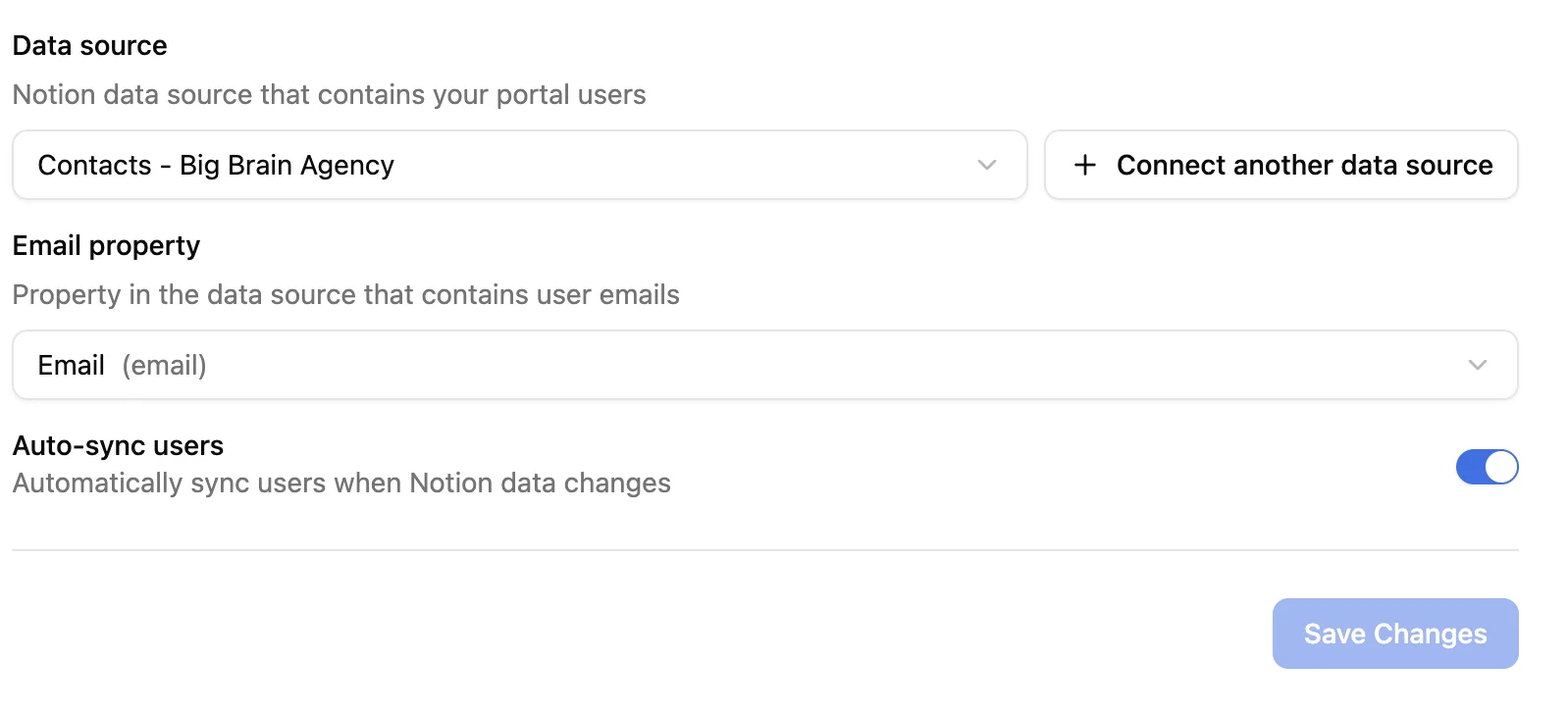
To connect it, go to Admin > Users:
- Click Connect a data source and select the Notion database that contains your users
- Map the email property
- Save your settings
Sync users
Once your user database is connected, you have two sync options:
- Auto-sync - any change to the Notion database (add, edit, or delete a record) is automatically reflected in the portal. Enable this with the auto-sync toggle.
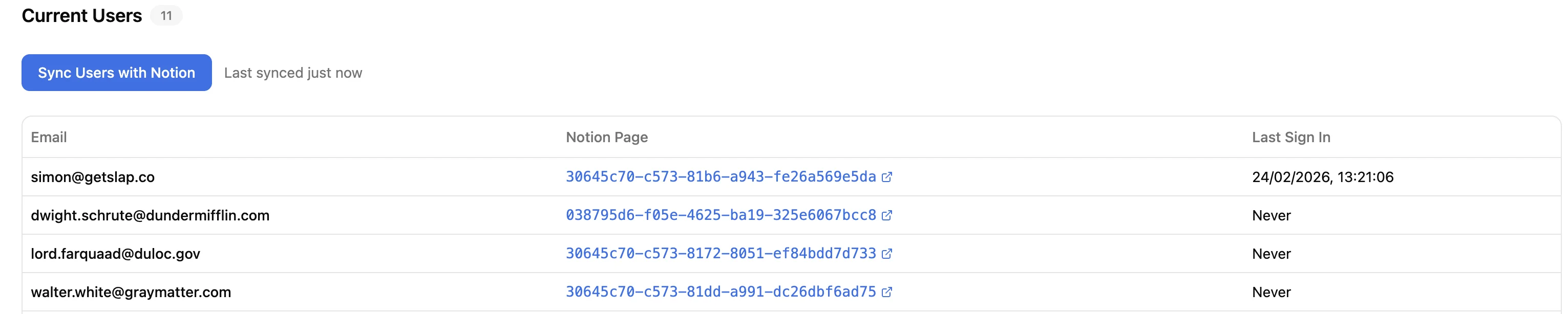
- Manual sync - use the Sync button to trigger a sync at any time, or to force a resync.
The user table shows all synced users, a link to their Notion page, and the date of their last login. You can also see the date and time of the last sync at the top of the Users page.
User login
Portal users log in with their email address. SlapPortal sends them a one-time password (OTP) to authenticate - no password to set up or remember.
Preview as a user
A “Preview as” feature - which lets you see the portal exactly as a specific user would - is not yet available but is planned for a future release.
Pricing
Pricing is based on active users: users who have logged into the portal at least once in the last 30 days. Users who have not logged in during that period do not count toward your plan.
Portal users are entirely separate from Notion users and guests. They have no Notion account and no access to your Notion workspace directly. This means they do not count toward Notion’s guest limits, regardless of how many portal users you have.