Access rules
Access rules define which records a portal user can see in a tab. They are configured per tab in Admin > Tabs > [your tab] > Access rules.
Access options
Three options are available:
- No access - no records are visible to portal users
- Access to all records - all records in the connected database are visible
- Custom rules - only records that match a defined set of conditions are visible
Custom rules
When using custom rules, you define one or more rules. When you have more than one rule, you choose an operator to apply between them:
- AND - the record is visible only if all conditions are met
- OR - the record is visible if at least one condition is met
Each condition is made of:
- A property from the Notion database
- An operator (e.g. is, is not, contains)
- A value - either a fixed value or a dynamic reference to the logged-in user
Examples
Simple rule - show only the logged-in user’s records
Use case: a ticket portal where each user should only see their own tickets.
Rule: Contact is Logged-in user
This checks that the Contact property on the record matches the portal user who is currently logged in.

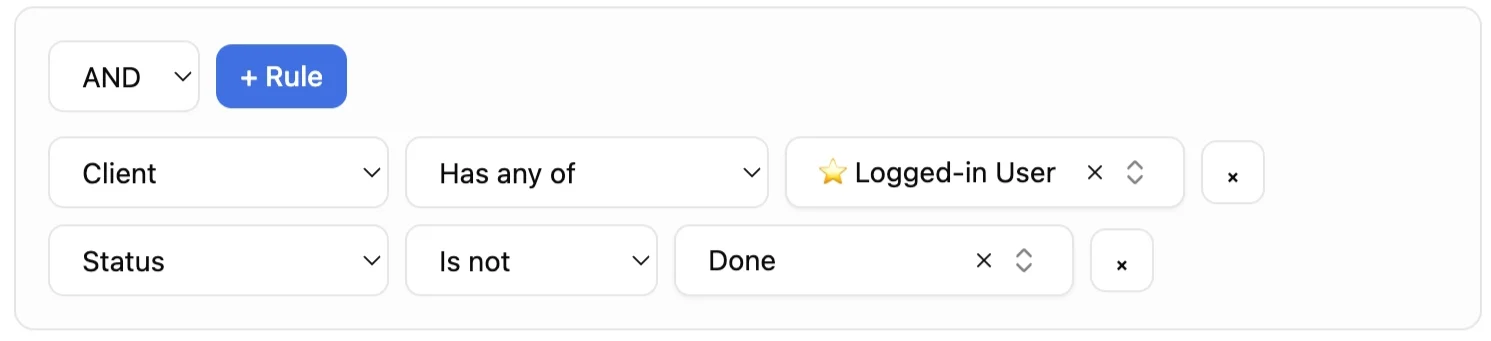
Composed rule - filter by user and status
Use case: same ticket portal, but hide cancelled tickets.
Rules:
ContactisLogged-in userStatusis notCancelled
The AND operator is used here, so both conditions must be true for a record to be visible.
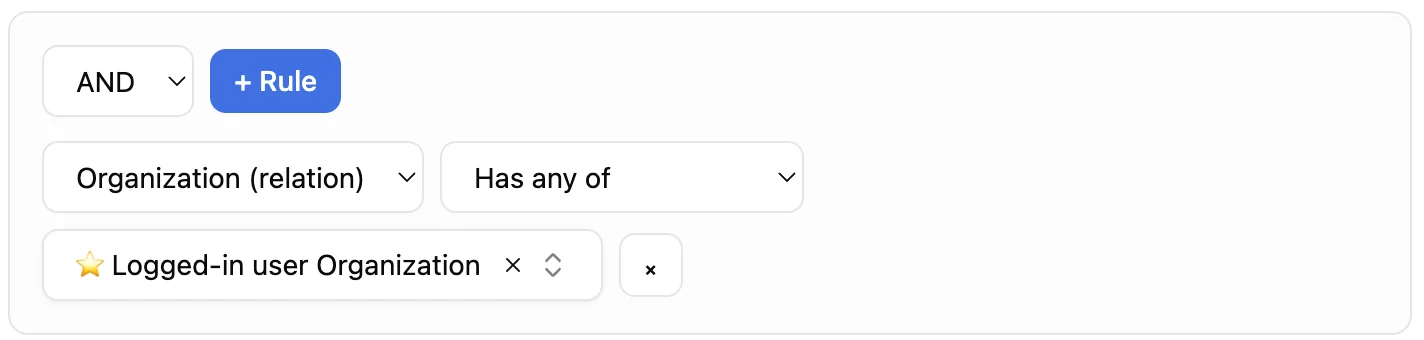
Company-based rule - share access across a team
Use case: all users from the same company should see the same records, not just their own.
- Your records (e.g. tickets) have a relation property pointing to a Company database
- Your portal users also have a relation property pointing to the same Company database
Rule: Company (relation) contains Logged-in user Company
This checks whether the logged-in portal user belongs to the same company as the one associated with the record.
Rollup-based rule - match records via a related user’s company
Use case: your records are linked to a user via a relation property, and you want to filter access based on that user’s company - not a direct company field on the record itself.
Setup:
- Your records have a relation property pointing to a Users database
- A rollup on the record surfaces the Company from the related user
- Your portal users also have a relation property pointing to the same Company database
Rule: Company (rollup) contains Logged-in user Company
This checks whether the company surfaced by the rollup on the record matches the company of the logged-in portal user. It lets you grant access based on an indirect company association - useful when the company isn’t stored directly on the record, but can be derived from a related user.
